Learn to read and write x64 assembly and understand the CPU your code really runs on. Pavel Yosifovich, co-author of Windows Internals, takes you from registers, flags and integer representation to MASM programs, the Windows x64 calling convention, stack frames and mixing C with assembly, with labs and solution walkthroughs along the way.



14+ hours
on-demand video
Labs
with full solution walkthroughs
77
video lessons
6
downloadable resources
14 CPE
CEU credits, self-reported
Certification
Certificate of completion
Every Windows program, driver and piece of malware ends up as x64 machine code. When you debug a crash without source, reverse engineer a binary, analyse malware or optimize a hot loop, the disassembly window is where the truth is. Reading it fluently requires knowing the processor itself: its registers and flags, how integers are represented, how memory is addressed, and how functions call each other under the Windows x64 calling convention.
In this course Pavel Yosifovich, co-author of Windows Internals, teaches the x64 architecture and assembly language from the ground up. You set up a complete environment with Visual Studio and MASM, learn to debug assembly and even peek at CPU registers with a kernel debugger. Then you learn the architecture: operating modes, general purpose and floating point registers, flags, two’s complement and sign extension, and the core instructions for moving data, arithmetic, bitwise logic, comparisons and jumps. The second half is real assembly programming: sections and addressing modes, the stack, calling Windows APIs correctly, local variables, the MASM64 SDK, strings, arrays and structures, stack frames and procedures, multiplication and division, string instructions and bit manipulation, ending with a Windows GUI application written in assembly.
The course is a recording of a live class: 77 video lessons, with the slides, a labs PDF, sample code, the MASM64 SDK and the QuickASM tool. Labs along the way, with recorded solution walkthroughs, range from a bit counter and a Fibonacci array to C runtime functions written in assembly and a DLL injection lab. Every video has English captions, and you learn at your own pace with lifetime access.
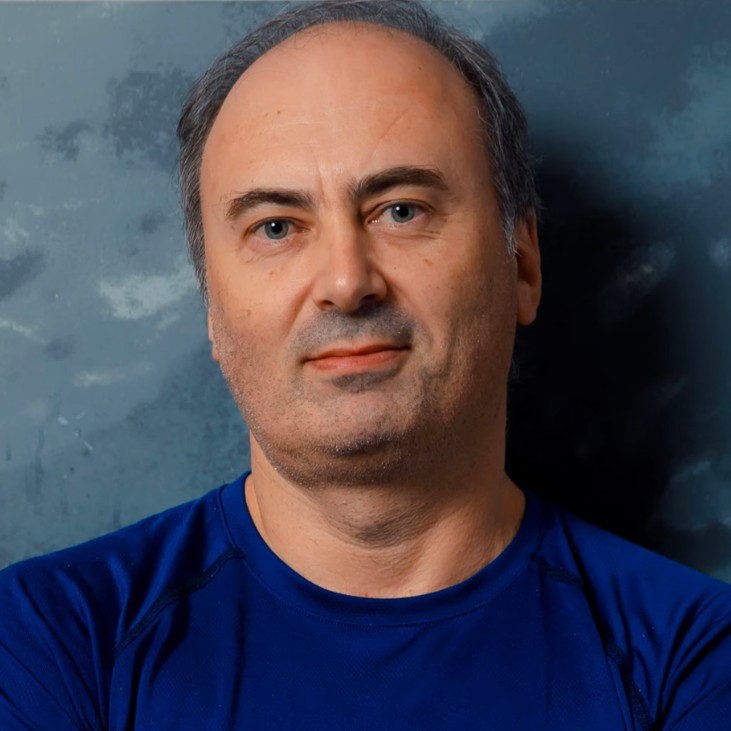
Pavel has been working at the lowest levels of Windows for more than 25 years, as a developer, consultant, trainer, author and speaker, and is a Microsoft MVP. He is the co-author of “Windows Internals, 7th Edition, Part 1” (Microsoft Press) and the author of “Windows Kernel Programming”, “Windows 10 System Programming” and “Windows Native API Programming”.
In this course he connects the CPU to the code you write: what the compiler generates from C, how the Windows calling convention really works, and how to read disassembly with confidence when you debug or reverse engineer.
Not the right fit if you are a complete programming beginner, or if you are looking for ARM, ARM64 or Linux assembly: the course is x64 on Windows with MASM. If you already write x64 assembly comfortably and want paging, system calls and interrupts, go to x64 Architecture and Programming (Part 2).
Roles this course prepares you for: developers, malware analysts and security researchers.
Assembly language is the layer where software meets hardware. Understanding it changes how you see every program: you know what a function call costs, why a variable lives in a register or on the stack, and what the debugger is really showing you. This course gives you that foundation for Windows on x64, the processor architecture behind nearly every Windows PC and server.
Each chapter combines slides, live coding and debugging, with labs and solution walkthroughs along the way. Privilege levels, paging, system calls, interrupts and exceptions continue in x64 Architecture and Programming (Part 2).
You rarely need to write whole programs in assembly, but you constantly need to read it. Debugging release builds and crash dumps, reverse engineering binaries, analysing malware, auditing for vulnerabilities and optimizing performance-critical code all happen at the instruction level. Knowing the x64 architecture and the Windows calling convention turns the disassembly window from noise into a precise description of what the program does.
The course does not stop at instruction tables. You write real programs in MASM, call Windows APIs with a correct stack and calling convention, mix assembly with C and C++, and finish with a Windows GUI application written in assembly. It is a strong foundation for Mastering WinDbg, the Windows Internals courses and Malware Analyst Professional, Level 1, and it is part of the Windows Internals Master and Windows Security Researcher learning paths.
Getting ready to work at the instruction level. The chapter covers the course goals and materials, why learn assembly at all, and the toolchain: Visual Studio 2022 with MASM, plus NASM, Keystone and the QuickASM tool for comparison. You build a standalone assembly program and a mixed C and assembly project, debug assembly in Visual Studio, and use local kernel debugging and LiveKD to view CPU registers that user mode cannot see.
The x64 processor from the ground up. You learn the history of the x86 family, the operating modes, the general purpose and floating point registers, the flags, and how integers are represented, including two’s complement and sign and zero extension. Then the instructions: operands and memory addressing, the MOV family, arithmetic, CALL and RET, calling external Windows functions, the x64 and x86 calling conventions, bitwise instructions, shifts and rotates, floating point representation, compares and conditional jumps. The chapter ends with labs and full solution walkthroughs.
From instructions to real MASM programs. The chapter covers MASM sections, LEA and the addressing modes including RIP-relative, position-independent code, the stack with PUSH and POP, and calling Windows APIs with the correct shadow space and 16-byte alignment. Then local variables, the MASM64 SDK and its INVOKE macro, MASM options and expressions, strings, arrays, structures and unions. It ends with labs on C runtime functions in assembly, command line arguments and DLL injection with a remote thread.
Writing complete procedures and using the rest of the instruction set. The chapter covers MASM procedures, stack frames, prologue and epilogue, parameter allocation, floating point arguments and declaring parameters, indirect calls, jumps, conditional moves and loops. Then unsigned and signed multiplication, division, string instructions, bit manipulation, exchange and swap, and I/O instructions, ending with a demo of a Windows GUI application written in assembly.
No. The course starts from registers, integer representation and basic instructions. You should have basic C knowledge and a basic understanding of computer systems.
A Windows 10 or 11 PC with an x64 processor and Visual Studio 2022 with its MASM assembler. The course also uses WinDbg and Sysinternals LiveKD for the kernel debugging demos, and provides QuickASM and the MASM64 SDK as downloads.
The programs are written in MASM inside Visual Studio. NASM and Keystone are shown for comparison, mainly through the QuickASM tool.
No. The course is x64 on Windows. The Linux calling convention is mentioned only for contrast, and ARM64 only when discussing CISC versus RISC.
Yes. There are labs with recorded solution walkthroughs, from a bit counter and a Fibonacci array to C runtime string and memory functions in assembly and a DLL injection lab. A labs PDF is included.
Yes. Reading x64 disassembly fluently, including registers, the stack, calling conventions and compiler-generated patterns, is the foundation of reverse engineering and malware analysis. The course is a natural first step before Malware Analyst Professional, Level 1.
No. Those are in x64 Architecture and Programming (Part 2), along with privilege levels, MSRs, control registers and shellcode fundamentals.
Recorded and self-paced. The videos are recordings of Pavel’s live sessions, so they include student questions and lab time. You get lifetime access, and every video has English captions.
x64 Architecture and Programming (Part 2) for system-level CPU topics, or Mastering WinDbg and the Windows Internals courses if your goal is debugging and OS internals.
Yes. When you complete every lesson you receive a certificate of completion and a Credly digital badge. The course also earns 14 CPE/CEU credits, which you self-report to your certification body using your certificate.
Yes. Four lessons are free to preview: Introduction, Software Environment, Operating Modes and Common Bitwise Instructions. Watch them on the course page.
77 video lessons, more than 14 hours of video, plus the slides, labs and sample code.
$490 as a single payment, or 5 monthly payments of $99 ($495 in total).
Lifetime access, including future updates to the course.
Refunds are available up to 14 days after purchase, to the original payment method. Email [email protected].
Pavel has been working at the lowest levels of Windows for more than 25 years, as a developer, consultant, trainer, author and speaker, and is a Microsoft MVP. He is the co-author of “Windows Internals, 7th Edition, Part 1” (Microsoft Press) and the author of “Windows Kernel Programming”, “Windows 10 System Programming” and “Windows Native API Programming”.
In this course he connects the CPU to the code you write: what the compiler generates from C, how the Windows calling convention really works, and how to read disassembly with confidence when you debug or reverse engineer.
Learn to read and write x64 assembly and understand the CPU your code really runs on. Pavel Yosifovich, co-author of Windows Internals, takes you from registers, flags and integer representation to MASM programs, the Windows x64 calling convention, stack frames and mixing C with assembly, with labs and solution walkthroughs along the way.
