Go below user mode and see the x64 processor at the system level. Pavel Yosifovich, co-author of Windows Internals, covers privilege rings, CPUID, MSRs and control registers, segmentation and descriptor tables, four- and five-level page translation, system calls, interrupts and exceptions, and checks each one live in the kernel debugger.



7+ hours
on-demand video
Live demos
in WinDbg and LiveKD
42
video lessons
2
downloadable resources
7 CPE
CEU credits, self-reported
Certification
Certificate of completion
Part 1 taught you to read and write x64 assembly. Part 2 continues into the system level of the x64 (x86-64) processor, the part that operating systems, hypervisors, debuggers and security tools are built on: operating modes and privilege rings, CPUID, MSRs and control registers, segmentation, descriptor tables and call gates, virtual page translation, system calls, and interrupts and exceptions. How does the CPU separate kernel mode from user mode? What happens on a system call? How does a virtual address become a physical one, and which bits in a page table entry decide whether memory can be written or executed?
Pavel Yosifovich, co-author of Windows Internals, answers these questions on slides and then proves each answer on a live Windows machine with WinDbg local kernel debugging and Sysinternals LiveKD. You query processor features with CPUID, read MSRs and control registers, decode GDT and IDT entries, follow privilege checks through call gates, and walk a virtual address to its physical address by hand.
The course has 42 pre-recorded video lessons with English captions, plus the slides PDF and the Struct Visualizer tool. You learn at your own pace, with lifetime access.
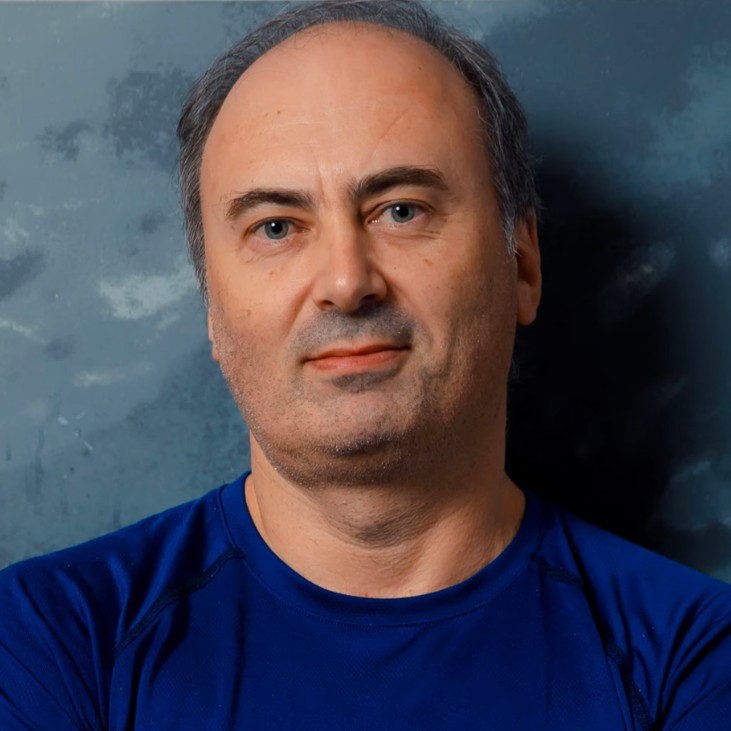
Pavel has been working at the lowest levels of Windows for more than 25 years, as a developer, consultant, trainer, author and speaker, and is a Microsoft MVP. He is the co-author of “Windows Internals, 7th Edition, Part 1” (Microsoft Press) and the author of “Windows Kernel Programming”, “Windows 10 System Programming” and “Windows Native API Programming”.
In this course he shows the processor mechanisms that Windows is built on, the same ones he explains in Windows Internals, and checks each of them live in the kernel debugger.
Not the right fit if you cannot yet read x64 assembly (take Part 1 first), if you want the Windows memory manager itself (that is Windows Internals: Day 4), floating point or SIMD programming, or hands-on exploit development.
Roles this course prepares you for: developers, malware analysts and security researchers.
Most developers never see the processor features that keep the operating system in control. Rings and privilege checks, descriptor tables, page tables and the system call path are invisible from user mode, yet they decide what code can run, which memory it can touch and how it reaches the kernel. This course makes them visible on a real Windows machine.
It has three chapters: advanced architecture (modes, rings, CPUID, MSRs, control registers, segmentation and privilege checks), virtual page translation, and system calls, interrupts and exceptions. It builds directly on x64 Architecture and Programming (Part 1).
Kernel debugging, driver development, EDR and rootkit research, hypervisor work and vulnerability research all depend on it. The course covers the CPU mechanisms security research relies on: ring transitions through SYSCALL and SWAPGS, the NX, SMEP and SMAP page protections, the CR0 write-protect bit, and the interrupt descriptor table. When a crash dump shows a page fault, when a driver runs at a raised IRQL, or when an exploit has to get past NX, SMEP or SMAP, you need to know what the CPU is enforcing and where that state lives: in CR3, in a page table entry, in an MSR or in the IDT.
The course follows address translation from legacy x86 two-level paging and PAE to today’s x64 four-level (PML4) and five-level (PML5) paging, with 4 KB, 2 MB and 1 GB pages. Then, in a 19-minute demo, Pavel walks a real kernel address through every level of the page tables by hand in WinDbg, reading each entry with !dq, and confirms the result with the pte and !vtop commands.
The rest of the course works the same way: you read MSRs with rdmsr, dump descriptors with dg, list interrupt handlers with !idt and read control registers with LiveKD. It is a strong foundation for Windows Internals: Day 3 and Day 4, Windows Kernel Programming 1 and EDR Internals, and it is part of the Windows Internals Master learning path.
The processor’s operating modes and the ring model, including the hypervisor and UEFI as informal lower rings. You query CPUID, read MSRs and control registers in WinDbg and LiveKD, then study segmentation in depth: selectors, the GDT, LDT and IDT, code, data, system and gate descriptors, and what 64-bit mode keeps of it. The chapter ends with CPL, DPL and RPL privilege checks for data access and far calls through call gates, and the task state segment with the IST and I/O bitmap.
Why paging exists, canonical addresses and the 48-bit and 57-bit address ranges, and how translation evolved from x86 two-level paging and PAE to x64 four-level and five-level paging. Page sizes (4 KB, 2 MB and 1 GB), CR3, CR2 and the TLB, page table entry fields including the NX bit, and the SMEP and SMAP protections. A WinDbg demo walks a real address through the page tables by hand.
System calls with SYSCALL/SYSRET and the older SYSENTER/SYSEXIT, the MSRs behind them and the SWAPGS instruction. Interrupts and exceptions: the IDT, faults, traps and aborts, masking with CLI and STI, the NMI and how Windows lays out its handlers. The chapter closes with a conceptual introduction to shellcode and a course summary.
Yes, in practice. Part 2 continues from where x64 Architecture and Programming (Part 1) left off and assumes you can read x64 assembly and know the registers and the calling convention.
Yes. x64 (also called x86-64 or AMD64) is the 64-bit extension of the x86 processor family, introduced by AMD, and the architecture behind Windows PCs and servers. “x64 OS internals” and “x86-64 OS internals” describe the same system-level topics this course covers.
A Windows 10 or 11 x64 machine with WinDbg set up for local kernel debugging and Sysinternals LiveKD, plus Visual Studio for the small C/C++ demos. The Struct Visualizer tool is provided as a download.
Yes, a whole chapter covers virtual page translation: legacy x86 paging, PAE, x64 four-level and five-level paging, page sizes, page table entry fields, the TLB, and protections such as NX, SMEP and SMAP, with a manual address translation demo in WinDbg.
Yes. The final chapter covers SYSCALL/SYSRET and the older SYSENTER/SYSEXIT, SWAPGS, the IDT, exception classes, maskable and non-maskable interrupts, and how Windows lays out its interrupt handlers.
Windows Internals: Day 3 covers interrupts, IRQLs and exceptions from the Windows kernel point of view, and Windows Internals: Day 4 covers the Windows memory manager. This course covers the processor side beneath them: the IDT, gates, fault, trap and abort classes, SYSCALL and SWAPGS, and the paging structures, CR3, the TLB and page protection bits. They complement each other. Mastering WinDbg makes the kernel debugging demos easier to follow.
Only at a conceptual level: one lesson explains what shellcode is and why it must be position independent, with a small standalone sample. It is not an exploit development or process injection course.
No. The Floating Point Arithmetic lesson is a short note explaining that floating point and SIMD instructions are not covered. SIMD is partially covered in Part 1.
No. Hypervisors, virtualization-based security and UEFI are explained as part of the extended ring model, but their internals are out of scope.
Pre-recorded and self-paced. The videos are recordings of Pavel’s live sessions, and every video has English captions.
42 video lessons, more than 7 hours of video, plus the slides PDF and the Struct Visualizer tool.
Yes. Two lessons are free to preview: Rings (Extended) and Segment Registers. Watch them on the course page.
Yes. When you complete every lesson you receive a certificate of completion and a Credly badge. The course earns 7 CPE/CEU credits, which you self-report to your certification body with your TrainSec certificate.
$295 as a single payment, or 3 monthly payments of $100 ($300 in total). It is also included in the Windows Internals Master learning path.
Lifetime access, including future updates to the course.
Refunds are available up to 14 days after purchase, to the original payment method. Email [email protected] to request one.
Windows Internals Days 3 and 4 pair well with the interrupt and paging material. To write kernel code, continue with Windows Kernel Programming 1; for security research, EDR Internals: Research and Development.
Pavel has been working at the lowest levels of Windows for more than 25 years, as a developer, consultant, trainer, author and speaker, and is a Microsoft MVP. He is the co-author of “Windows Internals, 7th Edition, Part 1” (Microsoft Press) and the author of “Windows Kernel Programming”, “Windows 10 System Programming” and “Windows Native API Programming”.
In this course he shows the processor mechanisms that Windows is built on, the same ones he explains in Windows Internals, and checks each of them live in the kernel debugger.
Go below user mode and see the x64 processor at the system level. Pavel Yosifovich, co-author of Windows Internals, covers privilege rings, CPUID, MSRs and control registers, segmentation and descriptor tables, four- and five-level page translation, system calls, interrupts and exceptions, and checks each one live in the kernel debugger.
