See how Windows manages virtual and physical memory. Pavel Yosifovich, co-author of Windows Internals, covers page states, memory counters, address translation, page faults, working sets, heaps, kernel pools and memory mapped files, with live demos in Visual Studio, Sysinternals tools and the kernel debugger.



5+ hours
on-demand video
Live demos
in Sysinternals tools and WinDbg
29
video lessons
2
downloadable PDFs
5 CPE
CEU credits, self-reported
Certification
Certificate of completion
This Windows memory management course is taught by Pavel Yosifovich, co-author of Windows Internals, 7th Edition, Part 1 (Microsoft Press). It is devoted entirely to the Windows memory manager: page states, sharing and protection, x86, PAE and x64 address translation, page faults, page files, working sets, heaps, kernel pools and memory mapped files.
It is the fourth of the five courses in the series, and it mixes slides with live demos in Visual Studio, Sysinternals tools and the kernel debugger.
The course has 29 pre-recorded video lessons, 5 hours 24 minutes of video, with English captions, plus the slides PDF and the labs PDF. You learn at your own pace, with lifetime access.
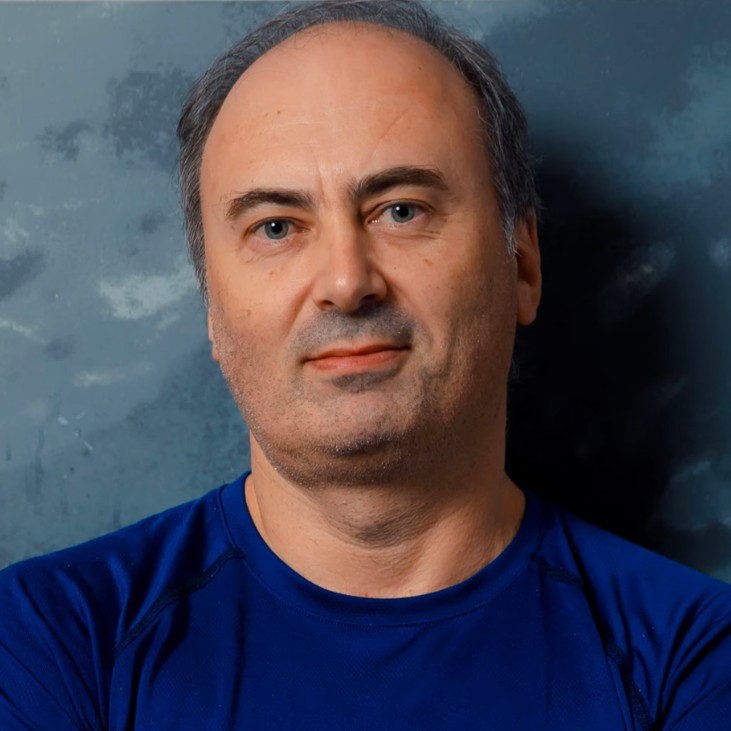
Pavel has been working at the lowest levels of Windows for more than 25 years, as a developer, consultant, trainer, author and speaker, and is a Microsoft MVP. He is the co-author of “Windows Internals, 7th Edition, Part 1” (Microsoft Press) and the author of “Windows Kernel Programming”, “Windows 10 System Programming” and “Windows Native API Programming”.
In this course he explains how the Windows memory manager works, and shows it live in Sysinternals tools and the kernel debugger.
Not the right fit if you are completely new to Windows internals (start with Windows Internals: Day 1), if you want the I/O system, driver model or security architecture (Windows Internals: Day 5), a hands-on programming course (Windows System Programming 1 or Windows Kernel Programming 1), or deep CPU-level paging and assembly (x64 Architecture and Programming (Part 2)).
The course has nine chapters: an introduction, memory fundamentals, sharing and protection, virtual address translation, physical memory, memory usage in user mode and in the kernel, memory mapped files, and a closing chapter on large pages, ASLR, enclaves, locking memory, compression and combining.
It is part of the Windows Internals Master learning path and the Windows Internals Bundle.
Committed memory is guaranteed to be available when accessed, while reserved pages only set aside a contiguous address range without consuming resources. The thread stack is the classic example: a reserved maximum with pages committed on demand through the guard page. A 29-minute demo compares commit-everything with MEM_RESERVE and on-demand commits using an SEH exception filter, and shows reserving up to 100 TB of address space at no commit cost.
Commit size is the counter to watch for consumption and leaks. Commit size in Task Manager equals private bytes in Process Explorer and Performance Monitor. Working set is the memory accessible without a page fault, and virtual size is the only counter that includes reserved memory. A 30-minute lesson then tours a process address space in VMMap. For a first look at that tool, read our VMMap basics post.
The course walks through x86 two-level paging, PAE and the four levels of x64 translation, large and huge pages and the TLB, then verifies a translation in the kernel debugger. It looks at translation as part of the whole Windows memory manager. For the processor’s point of view with assembly, see x64 Architecture and Programming (Part 2).
You learn the difference between hard and soft page faults. Page files back only private, writable, committed memory, while images and mapped files are their own backing store, which is why a loaded DLL cannot be deleted. The course covers multiple page files, sizing, what a crash dump requires, and the commit limit, which is RAM plus the current page file size, together with the VADs that track address ranges.
You follow working sets, the system working set and the PFN database, then the bad, free, zero, standby and modified page lists, the zero page thread, the modified page writer and eight memory priority levels. The demos use WinDbg commands, RAMMap, Process Explorer and Task Manager.
The Virtual API sits close to the memory manager and works at page granularity. The Heap API is a layer above it, and in the Microsoft runtime malloc and new call HeapAlloc on the default process heap. The course explains the legacy GlobalAlloc and LocalAlloc family, why to create additional heaps, fragmentation, the Low Fragmentation Heap and the Segment Heap. For writing this kind of code, see Windows System Programming 2.
Non-paged pool always stays in physical memory, while paged pool can be paged out, so kernel code must pick the right one. The course covers the kernel pool APIs, including ExAllocatePool2 and ExAllocatePool3, why the kernel does not free driver allocations when a driver unloads, and how to find leaks with PoolMonX. See also our post on kernel allocation tags, and Windows Kernel Programming 1 for writing drivers.
Memory mapped files are section objects, shareable kernel objects backed by the page file or by a file and accessed through views. A 26-minute Visual Studio demo shares a string between processes and shows the section object in Process Explorer. With page file backing the data disappears when the last handle closes, and with file backing it persists.
As concepts, the course covers ASLR and DLL relocation and why ASLR does not fully stop shellcode that walks the TEB and PEB, page protection constants such as PAGE_GUARD, ReadProcessMemory and WriteProcessMemory, and memory enclaves. It explains how these mechanisms work and is not an exploit development course.
The demos use Visual Studio, VMMap, Process Explorer, Task Manager, WinDbg in local kernel debugging mode, RAMMap, PoolMonX and Object Explorer. The Day 4 slides and labs PDFs are included.
Windows Internals: Day 5 completes the series with the I/O system, drivers and Windows security. Mastering WinDbg pairs well with this course, since Day 4 uses kernel debugger commands that it teaches in depth, and Sysinternals Tools Deep Dive 1 covers VMMap as one tool among many.
To buy all five days together, see the Windows Internals Bundle. The Windows Internals Master learning path also includes this course.
What Day 4 covers: physical and virtual memory, page states, sharing, protection, address translation, page faults, page files, memory mapped files, large pages and ASLR.
The memory manager’s job, page sizes, and the free, committed and reserved page states, demonstrated with VirtualAlloc and an on-demand commit pattern using SEH. Also the VMMap tool and its memory categories, and the working set, private bytes, commit size and virtual size counters.
How Windows shares DLL and executable code, with ASLR and relocation effects, copy-on-write data and explicitly shared data sections. Then cross-process access with ReadProcessMemory and WriteProcessMemory, and per-page protection through VirtualAlloc and VirtualProtect.
32-bit and 64-bit process layouts, the large address aware flag, x64 limits, and the x86, PAE and x64 paging schemes with valid bits, large and huge pages. A kernel debugger translation demo, then hard and soft page faults, page files and sizing, and commit charge with VADs.
Working sets, the system working set and the PFN database, then the bad, free, zero, standby and modified page lists, the zero page thread and eight memory priority levels, viewed with WinDbg commands, RAMMap, Process Explorer and Task Manager.
The heap manager (default process heap, extra heaps, fragmentation, Low Fragmentation Heap and Segment Heap) and how the Virtual API, Heap API, C/C++ runtime and legacy Global and Local APIs relate to each other.
Pageable and non-pageable code, the file system cache, and paged and non-paged pool with their limits. Then the kernel pool APIs, pool tags, leak tracking and a PoolMonX demonstration.
Section objects, their file or page file backing, and sharing between processes. A Visual Studio MFC demo shares a string across processes and shows the section object in Process Explorer, with the user-mode and kernel APIs summarized.
Large pages and their requirements, ASLR, memory enclaves (SGX and VBS), locking memory, memory compression and memory combining, followed by the wrap-up of the memory module.
They are recommended. Day 4 assumes you know processes, threads, basic virtual memory and WinDbg from Day 1, and it touches on SEH and IRQL, which Day 3 covers.
Committed memory is guaranteed to be available when accessed. Reserved memory only sets aside a contiguous address range and consumes no commit.
Commit size, which Process Explorer and Performance Monitor call private bytes. Working set only shows memory accessible without a page fault.
A hard page fault needs to read the data from disk. A soft page fault is resolved from memory, without disk access.
Non-paged pool always stays in physical memory. Paged pool can be paged out.
No. Those topics are in Windows Internals: Day 5. Day 4 covers only memory, though it does explain kernel pool usage relevant to drivers.
The demos use Visual Studio (C++), WinDbg in local kernel debugging mode, and free tools such as VMMap, RAMMap, Process Explorer and PoolMonX, all on Windows 10 or 11. You only need a browser to watch the lessons.
Not primarily. It explains how the memory manager works, with some C/C++ demos in Visual Studio. For hands-on programming, Windows System Programming 1 or Windows Kernel Programming 1 are the better fit.
x64 Part 2 explains paging from the processor’s point of view with assembly. Day 4 explains how Windows itself manages memory, including page files, working sets, heaps, pools and memory mapped files.
Pre-recorded and self-paced on the TrainSec learning platform.
29 video lessons with 5 hours 24 minutes of video, plus the slides and labs PDFs. All video lessons have English captions.
Yes. Memory Management Basics is free to preview. You can watch it on the course page on the learning platform.
Yes. When you complete every lesson you receive a certificate of completion and a Credly badge. The course earns 5 CPE/CEU credits, which you self-report to your certification body with your TrainSec certificate.
$139 as a single payment; there is no payment plan for this course. The Windows Internals Bundle ($849, or 6 x $148) and the Windows Internals Master learning path ($1,356, or 10 x $140) include it and do offer payment plans.
Lifetime access, including future updates to the course.
Refunds are available up to 14 days after purchase, to the original payment method. Email [email protected] to request one.
Windows Internals: Day 5 completes the series. Mastering WinDbg and the x64 Architecture and Programming courses are good companions.
Pavel has been working at the lowest levels of Windows for more than 25 years, as a developer, consultant, trainer, author and speaker, and is a Microsoft MVP. He is the co-author of “Windows Internals, 7th Edition, Part 1” (Microsoft Press) and the author of “Windows Kernel Programming”, “Windows 10 System Programming” and “Windows Native API Programming”.
In this course he explains how the Windows memory manager works, and shows it live in Sysinternals tools and the kernel debugger.
See how Windows manages virtual and physical memory. Pavel Yosifovich, co-author of Windows Internals, covers page states, memory counters, address translation, page faults, working sets, heaps, kernel pools and memory mapped files, with live demos in Visual Studio, Sysinternals tools and the kernel debugger.
