Learn to program Windows the way the operating system really works. Pavel Yosifovich, author of Windows 10 System Programming and co-author of Windows Internals, teaches the Windows API in C and C++: error handling and strings, kernel objects and handles, sharing objects between processes, sessions, and creating and enumerating processes, with labs that build real tools.



13+ hours
on-demand video
Labs
with full solution walkthroughs
45
video lessons
3
downloadable resources
13 CPE
CEU credits, self-reported
Certification
Certificate of completion
Behind every Windows application, service, security tool and driver client is the Windows API. Many developers use it in fragments, copying calls from documentation without the model behind them: what a handle really is, why a call fails only on another machine, how objects are shared between processes, or what CreateProcess actually does. That model is what separates code that works by accident from tools you can trust.
In this course Pavel Yosifovich, author of Windows 10 System Programming and co-author of Windows Internals, teaches it from the ground up. After a review of processes, threads, virtual memory and the system architecture, you start writing code: the conventions of the Windows API for errors, strings and structures, 32-bit versus 64-bit, getting the real Windows version and system information. Then kernel objects and handles in depth: access masks, object names and private namespaces, sessions, window stations and desktops, and sharing objects by name, inheritance and duplication. The course ends with processes: how they are created, CreateProcess and its attributes, termination, enumeration, and RAII handle wrappers with the Windows Implementation Library.
The course is a recording of a live class: 45 video lessons, with the slides, a labs PDF and the demo and lab code. Every module ends with labs and a full solution walkthrough, building small real tools such as a kill tool, a process lister, a service host detector and a DLL lister. Every video has English captions, and you learn at your own pace with lifetime access. Threads, synchronization, I/O and memory continue in part 2, and DLLs, security and COM in part 3.
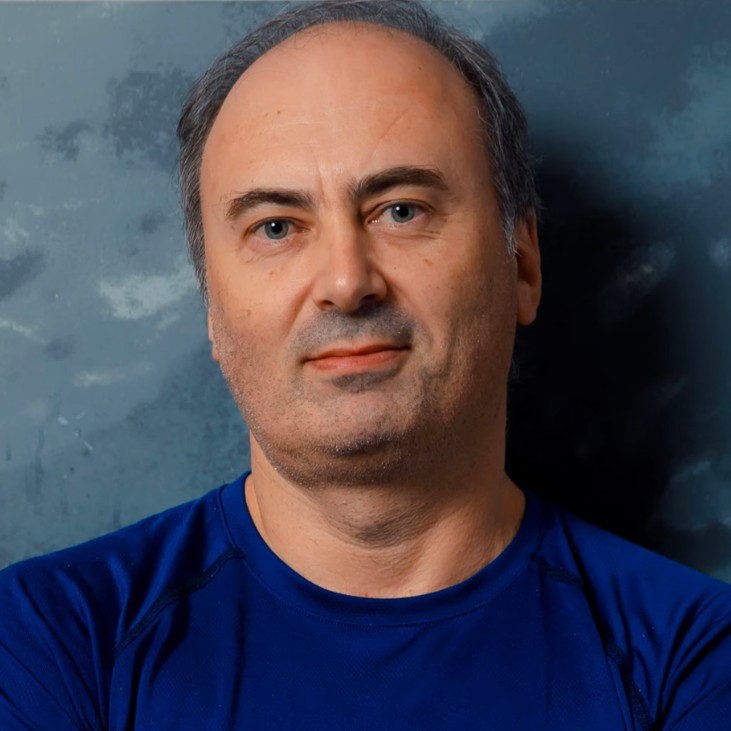
Pavel is the author of “Windows 10 System Programming”, “Windows Kernel Programming” and “Windows Native API Programming”, the co-author of “Windows Internals, 7th Edition, Part 1” (Microsoft Press), and a Microsoft MVP, with more than 25 years as a developer, consultant, trainer, author and speaker.
He writes Windows system software every day, and teaches the API the same way: with the internals behind each call, the tools to see what is happening, and labs that turn every topic into a working program.
Not the right fit if you do not yet write C or C++ comfortably (take Modern C++ Programming first), or if you want kernel and driver development (take Windows Kernel Programming 1). Threads, synchronization, I/O and memory are in part 2, and DLLs, security and COM in part 3.
Windows System Programming is a three-part series that covers the documented Windows API from the ground up. Part 1 lays the foundation every Windows developer needs: the API conventions, kernel objects and handles, and processes. Windows System Programming 2 continues with jobs, threads, synchronization, I/O and memory, and Windows System Programming 3 with DLLs, security, COM fundamentals and windowing.
Every module combines slides, live coding and the Sysinternals tools, and ends with labs and a full solution walkthrough. Visual Studio is the IDE and debugger throughout; no WinDbg is needed.
Frameworks hide the operating system until something goes wrong. Knowing the Windows API directly lets you build tools, services and utilities that frameworks cannot, diagnose failures from error codes and handle tables instead of guessing, and understand what security products, malware and the operating system itself are doing. It is also the foundation for everything lower level: the Native API, COM and kernel drivers.
The labs turn each topic into a working program: a tool that looks up error messages, a window enumerator with callbacks, an experiment that finds the maximum number of handles a process can open, a kill tool, a process lister with creation times and image paths, a service host detector and a DLL lister. The course is the first programming course in the Windows Master Developer learning path, and is also available with parts 2 and 3 in the Windows System Programming Bundle.
Meet the course and its instructor: the plan for the series, the prerequisites, how the labs work, and recommended books and documentation. The slides, the labs PDF and the code are available here. The introduction describes the full live class; this course covers its first modules, and the rest continues in parts 2 and 3.
The Windows concepts every system programmer needs, reviewed before any code is written: processes and the process tree, virtual memory and address spaces, threads, the overall system architecture, how a call travels from kernel32 through NtDll into the kernel, and the different API families. Demonstrations use Task Manager and Process Explorer, including symbol configuration.
Writing your first Windows API programs in C and C++ with Visual Studio. The chapter covers the error handling conventions (GetLastError, BOOL, handles, LSTATUS and HRESULT), 32-bit versus 64-bit and WOW64, Unicode strings and the A and W API pairs, safe string functions and versioned structures. You learn how to get the real Windows version through manifests, RtlGetVersion and KUSER_SHARED_DATA, and how to query system information. Labs build a user name and error message tool and an EnumWindows callback exercise.
Kernel objects and handles in depth. You learn the per-process handle table, access masks and least privilege, create versus open functions and pseudo handles, and inspect it all with Process Explorer, WinObj and Object Explorer. Then sharing objects: by name, with session-relative names, the Global prefix and private object namespaces, and by duplicating handles. The chapter also covers sessions, window stations and desktops, and USER and GDI handles, and ends with a lab that finds the maximum number of handles a process can open.
How processes are created, run and end. The chapter covers the process creation sequence and the loader, DLL dependencies and search order, the CreateProcess API with handle inheritance and attribute lists, termination, other process APIs and zombie processes. You enumerate processes with Toolhelp, the WTS API, EnumProcesses and NtQuerySystemInformation, wrap handles in RAII types with the Windows Implementation Library, and build a process lister, a service host detector and a DLL lister in the labs.
You should be fluent in C and comfortable with basic C++, especially classes and resource management. The course does not teach the language. If you need to strengthen your C++ first, take Modern C++ Programming.
No. The Foundations module reviews processes, threads, virtual memory and the system architecture before any code is written. For that material in real depth, Windows Internals: Day 1 is the first step of the Windows Master Developer learning path.
A Windows 10 or 11 PC with Visual Studio (any edition) and the Desktop development with C++ workload. The course also uses free Sysinternals tools such as Process Explorer and WinObj, and installs the Windows Implementation Library through NuGet. Some demos need administrator rights.
No. Visual Studio is the IDE and debugger throughout, together with the Sysinternals tools.
Part 1 covers the foundations, application development basics, kernel objects and handles, and processes. Threads, jobs, synchronization, file and device I/O and memory are in Windows System Programming 2. DLLs, security, COM fundamentals and windowing are in Windows System Programming 3.
Yes. Every module ends with labs, and Pavel works through the solutions on video. The labs build small real tools such as a kill tool, a process lister, a service host detector and a DLL lister. A labs PDF and the code are included.
Recorded and self-paced. It is a recording of a live class, so you will hear student questions and live coding. You get lifetime access, and every video has English captions.
Yes. The Windows System Programming Bundle includes parts 1, 2 and 3 for less than buying them separately, and the Windows Master Developer learning path adds Windows Internals, COM and kernel programming.
Windows System Programming 2 and 3 to complete the user-mode API. After that, Windows Native API Programming for the undocumented layer beneath it, COM Programming 1, or Windows Kernel Programming 1 to move into kernel mode.
Yes. When you complete every lesson you receive a certificate of completion and a Credly digital badge. The course also earns 13 CPE/CEU credits, which you self-report to your certification body using your certificate.
Yes. Two lessons are free to preview: Process Tree and 32 bit vs. 64 bit. Watch them on the course page.
45 video lessons, more than 13 hours of video. Doing the labs yourself, plan on considerably more than the video time, typically a few weeks of part time study.
The three Windows System Programming courses together cover most of what Pavel’s “Windows 10 System Programming” books (Parts 1 and 2) cover.
$340 as a single payment, or 4 monthly payments of $85 ($340 in total).
Lifetime access. Videos stream in the browser and cannot be downloaded; the slides, labs PDF and code can.
Yes. Refunds are available up to 14 days after purchase, to the original payment method. Email [email protected].
Pavel is the author of “Windows 10 System Programming”, “Windows Kernel Programming” and “Windows Native API Programming”, the co-author of “Windows Internals, 7th Edition, Part 1” (Microsoft Press), and a Microsoft MVP, with more than 25 years as a developer, consultant, trainer, author and speaker.
He writes Windows system software every day, and teaches the API the same way: with the internals behind each call, the tools to see what is happening, and labs that turn every topic into a working program.
Learn to program Windows the way the operating system really works. Pavel Yosifovich, author of Windows 10 System Programming and co-author of Windows Internals, teaches the Windows API in C and C++: error handling and strings, kernel objects and handles, sharing objects between processes, sessions, and creating and enumerating processes, with labs that build real tools.
