Learn to write, debug and deploy Windows kernel drivers from scratch. Pavel Yosifovich, author of Windows Kernel Programming and co-author of Windows Internals, takes you from kernel debugging with WinDbg through IRPs, IRQLs and synchronization to process, thread, object and registry callbacks: the mechanisms EDR and monitoring tools are built on.



26+ hours
on-demand video
Labs
with full solution walkthroughs
71
video lessons
3
downloadable resources
21 CPE
CEU credits, self-reported
Certification
Certificate of completion
Some things can only be done from the Windows kernel: seeing every process and thread as it starts, blocking a handle to a protected process, watching every registry change, or giving a product privileged access the user-mode API does not allow. That is why security products, monitoring tools and many system utilities ship a kernel driver. Writing one is also unforgiving: a single mistake at the wrong IRQL brings the whole machine down.
In this course Pavel Yosifovich, author of the book Windows Kernel Programming and co-author of Windows Internals, teaches you to write software kernel drivers properly. You start with a Windows internals refresher and kernel debugging with WinDbg, then learn the I/O system and how user-mode clients talk to drivers. From there you build drivers step by step: the Booster driver with its client, IRP handling and safe access to user buffers, interrupts, IRQLs and crash dump analysis, kernel synchronization, system threads and timers, and finally a Process Monitor style driver using process, thread, image, object and registry notifications.
The course is a recording of a five-day live class: 71 video lessons in 12 modules, with a labs PDF, the slides and the full sample code. Most modules end with a lab you write yourself, followed by a complete solution walkthrough, and every driver is deployed and debugged on a virtual machine. All videos have English captions, and you learn at your own pace with lifetime access.
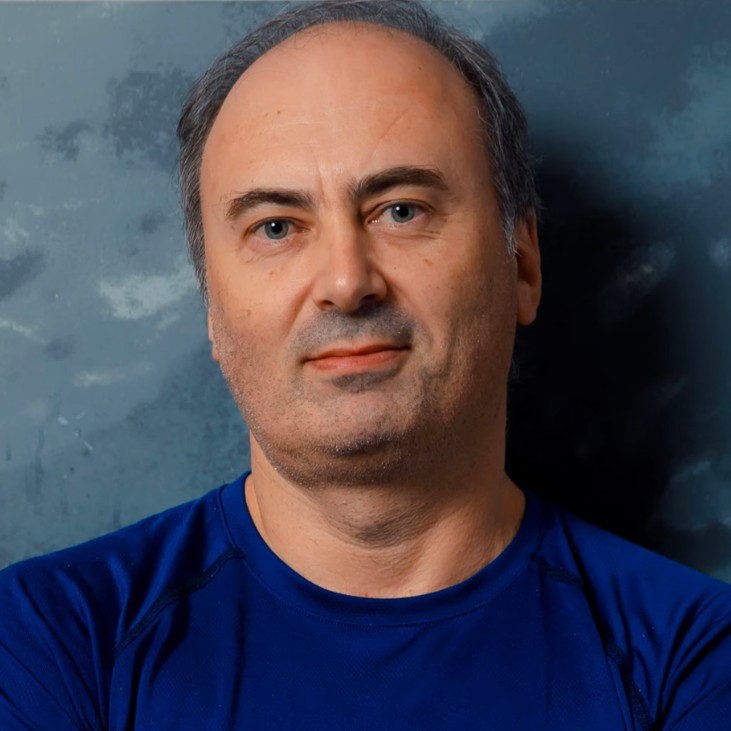
Pavel is the author of the books “Windows Kernel Programming” (2nd edition) and “Windows Native API Programming”, co-author of “Windows Internals, 7th Edition, Part 1” (Microsoft Press), and a Microsoft MVP. With more than 25 years as a developer, consultant and trainer, he has taught Windows internals, system and kernel programming to developers and security teams around the world.
In this course he teaches driver development the way he practices it: build the driver, deploy it to a VM, debug it in WinDbg, and understand exactly why each kernel rule exists.
Not the right fit if you are new to C, C++ or the Windows API (start with Modern C++ Programming and Windows System Programming 1), or if you write hardware drivers that need real interrupts, DMA or USB: this course builds software drivers.
Roles this course prepares you for: Windows developers and security researchers.
Windows kernel programming is a niche skill with outsized value. The same kernel mechanisms are used by endpoint security products, system monitoring tools, virtualization and backup software, and by attackers trying to hide from all of them. This course gives you the foundation: the internals, the debugging skills and the driver development practices that every later topic builds on.
Each module mixes slides, live coding and debugging, and most end with labs and a full solution walkthrough. The course covers modules 1 to 7 of the live class. File system mini-filters, more advanced techniques and an introduction to KMDF continue in Windows Kernel Programming 2.
Kernel drivers see and control what user-mode code cannot: process and thread creation, image loads, handle access and registry operations across the whole system. EDR and antivirus agents, parental control and DLP products, and many Sysinternals-style tools rely on exactly the callbacks you build in this course. Understanding them makes you a better driver developer, and a better security researcher when you need to know what a security product can and cannot see.
This is not a theory course. You write the Booster driver and its client, the Zero driver, a Process Revealer driver and a three-part Process Monitor driver with a console client, then deploy each one to a test virtual machine. Along the way you learn the kernel debugger as a working tool: setting breakpoints in your driver, debugging over the network and analysing crash dumps when something goes wrong. If you want to go further into security, EDR Internals builds directly on these skills.
Meet the course and its instructor: the goals, the prerequisites, how the labs work, and recommended books and sites. The labs PDF, the slides and the full sample code are available here. This course covers modules 1 to 7 of the live class; modules 8 to 10 (mini-filters and more) are part of Windows Kernel Programming 2.
A Windows internals refresher aimed at driver writers. It covers processes, virtual memory and the address space layout, free, reserved and committed memory, threads, priorities and scheduling, and the overall architecture from the subsystem DLLs through NtDll and system calls into the executive and the kernel. Demonstrations use Task Manager, Process Explorer and VMMap.
The debugger every driver developer lives in. You start with WinDbg in user mode on Notepad: threads, call stacks, breakpoints on CreateFile and NtCreateFile, handles and symbol configuration. A lab sets up user-mode and local kernel debugging, and the module then moves to kernel structures such as EPROCESS and ETHREAD, and editing kernel memory with the debugger.
How the kernel manages objects: reference counting, object types, handle tables and access rights, and how to inspect them with Process Explorer, Object Explorer and WinDbg. It covers the ways to share objects (inheritance, names and duplication), the kernel APIs for going from handles to objects and back, and the object manager namespace with session-local and global names.
How user-mode code talks to drivers. The module introduces the I/O manager, IRPs, Plug and Play and the power manager, the driver models (WDM, KMDF and UMDF), and opening devices with CreateFile and symbolic links, or without a symbolic link using NtOpenFile. It ends with ReadFile, WriteFile and DeviceIoControl, including asynchronous I/O.
The full driver development cycle. You learn how kernel code differs from user-mode code, Zw versus Nt functions, NTSTATUS and UNICODE_STRING, DriverEntry and DriverUnload, and allocating pool memory with tags. Then you install and load a driver with sc.exe, read its output with DebugView, check its memory with PoolMon, enable test signing and look at the Services registry key. The module closes with asserts and tracing, object attributes, and driver and device objects.
Your first complete driver and client, built end to end. The console client sends a request with CreateFile and WriteFile, and the WDM driver creates a device object and symbolic link, handles create, close and write requests, and changes a thread’s priority. You deploy it to a virtual machine and debug it remotely with WinDbg over the network, including source-level debugging of the driver.
The IRP in depth: its structure and I/O stack locations, dispatch routines, and completing requests with the right status and information. You learn to access client buffers safely with Buffered I/O, Direct I/O with MDLs, and Neither I/O, and how the control code selects the method for DeviceIoControl. The labs are the Zero driver and a Process Revealer driver, followed by a full solution walkthrough.
The kernel mechanisms that make driver code different. You learn how hardware interrupts are dispatched, what the IRQL is and how it limits what your code may do, DPCs as deferred interrupt work, and structured exception handling in drivers. The module ends with the blue screen: configuring crash dumps and analysing them in WinDbg with !analyze.
Keeping driver data consistent when code runs on many CPUs at once. The module covers data races and Interlocked operations, dispatcher objects and waiting, and every kernel lock in turn: mutex, fast mutex, semaphore, event, executive resource and spin lock, with the IRQL rules for each. You will wrap them in a C++ RAII Locker template, and learn about APCs and critical and guarded regions. It includes a Q&A session on driver signing.
Running work outside the caller’s context: creating system threads, queueing work items to the system thread pool, and using I/O timers and kernel timers. The module stresses keeping the driver referenced so it cannot unload while its code is still running.
Build a Process Monitor style driver. You register process, thread and image load notification callbacks (and see how a driver can block process creation), design the event data shared with user mode, store events in a synchronized linked list, and write the console client that reads and displays process and thread create and exit records.
Two notification mechanisms that let a driver observe and change what happens on the system. Object notifications monitor and modify handle opens to processes and threads, for example to protect a process from being terminated. Registry notifications let a driver observe or block registry operations. The module includes a walkthrough of the complete Process Monitor driver and exercises for a process protector and registry monitoring.
No. This is the entry point into Windows kernel development, and it starts with an internals refresher and an introduction to WinDbg. You do need solid C, working C++ and familiarity with the user-mode Windows API.
Enough to write classes, use templates and understand RAII. The sample drivers are written in C++, and the synchronization module wraps kernel locks in a C++ RAII template. If your C++ is rusty, take Modern C++ Programming first.
Windows 10 or 11 with Visual Studio 2022 and the Windows Driver Kit, plus a Windows 10 or 11 virtual machine (at least 8 GB RAM and 40 GB disk) you can switch into test signing mode and attach a kernel debugger to. The recordings use Hyper-V, and one module sets up kernel debugging over the network. The sample code from Pavel’s Windows Kernel Programming book is on GitHub.
No. The course builds software kernel drivers: drivers that monitor, control or extend Windows rather than talk to a physical device. Hardware specifics such as DMA, USB and real device interrupts are out of scope.
It teaches WinDbg as a working tool: user-mode debugging, symbols and breakpoints, inspecting kernel structures, local and remote kernel debugging, and crash dump analysis. For the debugger as a subject in its own right, see Mastering WinDbg.
It is a driver development course, but it teaches the kernel mechanisms security products are built on: process, thread and image callbacks, object callbacks that can block handle opens, and registry callbacks. EDR Internals builds on these skills for security research and EDR development.
File system mini-filters, KMDF, Windows Filtering Platform callouts and Plug and Play filter drivers. Mini-filters and an introduction to KMDF are in Windows Kernel Programming 2, and the rest in Advanced Windows Kernel Programming.
Recorded and self-paced. It is a recording of a five-day live class, so you will hear student questions and Q&A sessions. You get lifetime access, and every video has English captions.
Windows Kernel Programming 2 is the direct continuation, followed by Advanced Windows Kernel Programming. The course is also part of the Windows Master Developer learning path.
Yes. When you complete every lesson you receive a certificate of completion and a Credly digital badge. The course also earns 21 CPE/CEU credits, which you self-report to your certification body using your certificate.
Yes. Two lessons are free to preview: Introduction and Processes. Watch them on the course page.
There are 71 video lessons, more than 26 hours of video. Most modules end with labs you write yourself, so plan for considerably more time than the video length.
$690 as a single payment, or 7 monthly payments of $103 ($721 in total).
Yes. Refunds are available up to 14 days after purchase, to the original payment method. Email [email protected].
Pavel is the author of the books “Windows Kernel Programming” (2nd edition) and “Windows Native API Programming”, co-author of “Windows Internals, 7th Edition, Part 1” (Microsoft Press), and a Microsoft MVP. With more than 25 years as a developer, consultant and trainer, he has taught Windows internals, system and kernel programming to developers and security teams around the world.
In this course he teaches driver development the way he practices it: build the driver, deploy it to a VM, debug it in WinDbg, and understand exactly why each kernel rule exists.
Learn to write, debug and deploy Windows kernel drivers from scratch. Pavel Yosifovich, author of Windows Kernel Programming and co-author of Windows Internals, takes you from kernel debugging with WinDbg through IRPs, IRQLs and synchronization to process, thread, object and registry callbacks: the mechanisms EDR and monitoring tools are built on.
