Go beyond your first Windows drivers. Pavel Yosifovich, author of Windows Kernel Programming and co-author of Windows Internals, teaches file system minifilters, Windows Filtering Platform callout drivers, filter drivers and KMDF, plus the kernel techniques, synchronization and tracing that production drivers need, in long hands-on labs with full solutions.


30+ hours
on-demand video
Labs
with full solution walkthroughs
81
video lessons
4
downloadable resources
30 CPE
CEU credits, self-reported
Certification
Certificate of completion
Writing a driver that loads and handles an IOCTL is the start. Real kernel products, such as EDR and anti-ransomware agents, data protection and firewall software, intercept file system operations, filter network traffic, sit on top of existing device stacks, and must stay correct under heavy concurrency at every IRQL. That is what this course teaches.
In this advanced Windows kernel programming course, Pavel Yosifovich, author of the book Windows Kernel Programming and co-author of Windows Internals, takes experienced driver developers further. New to drivers? Start with Windows Kernel Programming 1, the driver development course for beginners. You use native kernel APIs correctly across Windows versions, apply C++ RAII and templates safely in kernel code, add ETW trace logging and debug with WinDbg and Driver Verifier, and master kernel synchronization. Then you write file system minifilters, Windows Filtering Platform callout drivers, upper filter drivers with completion routines, and a KMDF driver installed from an INF file.
The course is a recording of a live class: 81 video lessons in 8 modules, about 30 hours of video, with the slides, a labs PDF and the full labs and demos source code. Each module ends with labs and a complete solution walkthrough. All videos have English captions, and you learn at your own pace with lifetime access.
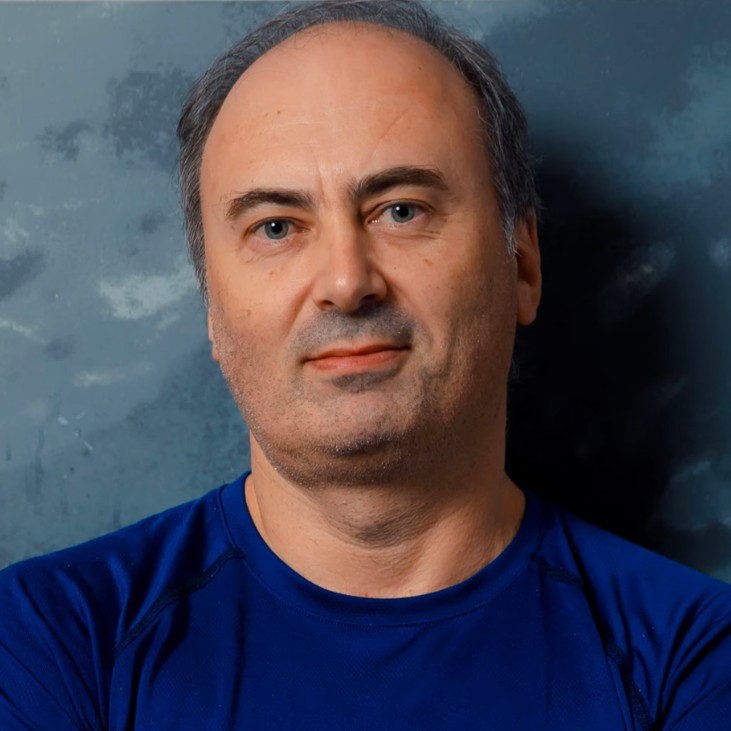
Pavel is the author of the books “Windows Kernel Programming” (2nd edition) and “Windows Native API Programming”, co-author of “Windows Internals, 7th Edition, Part 1” (Microsoft Press), and a Microsoft MVP, with more than 25 years as a developer, consultant, trainer, author and speaker.
In this course he goes past the basics of his Windows Kernel Programming book: minifilters, the Windows Filtering Platform, filter drivers and KMDF, built live in long labs, deployed to a VM and debugged in WinDbg.
Not the right fit if you have never written a driver (start with Windows Kernel Programming 1), if you are new to Windows programming in general (Windows System Programming 1), or if you need deep coverage of physical hardware drivers (interrupts, DMA, USB): KMDF is introduced here with a software driver.
Windows Kernel Programming 1 teaches you to write your first software drivers: the I/O system, IRPs, IRQLs and process, thread and registry callbacks. Windows Kernel Programming 2 is a short introduction (about 6.5 hours) to minifilters, Plug and Play and KMDF. This course starts where real driver projects begin and goes much deeper: kernel and system design for driver writers, programming techniques and data structures, tracing and debugging, synchronization, and then the three driver types security and system products depend on: file system minifilters, network filtering with the Windows Filtering Platform, and device filter drivers. It ends with an introduction to KMDF.
Each module mixes slides, live coding and debugging, and ends with labs and a full solution walkthrough, more than 10 hours of lab and solution videos in all.
Minifilters, WFP callouts and filter drivers are how kernel products see and control file, network and device activity across the whole system. EDR and antivirus agents, anti-ransomware and DLP products, firewalls and backup software are built on them. Knowing how to write them correctly, with the right synchronization at the right IRQL, separates a driver that works in a demo from one that survives in production, and it shows security researchers exactly what a security product can and cannot see.
You build the KProcNotify process-tracking driver with its client, a driver that reads and writes any process memory, a per-process statistics driver, cooperating drivers over a callback object, a generic thread-safe list library, delete-protection and delete-redirect minifilters, a WFP executable blocker and a callout driver that blocks network access by process, a beep device filter, and a KMDF rewrite of the Booster driver. Every driver is deployed to a test virtual machine and debugged in WinDbg, with fltkd for minifilters and WdfKd for KMDF. If you want to go further into security, EDR Internals builds directly on these skills.
The class plan and how to get the most out of it: the eight modules, the prerequisites, recommended books and driver samples. The slides, the labs PDF, and the labs and demos source code are downloads in this section.
A level-setting review of the Windows kernel for driver writers: the executive and kernel layers, the system call flow, Nt vs Zw and the kernel naming prefixes, calling native memory APIs, resolving exports dynamically to support several Windows versions, and moving between handles and objects. Two long lab videos build the KProcNotify process-tracking driver and its user-mode client, followed by a full solution walkthrough.
Techniques that make kernel code safer and cleaner: C++ in drivers with RAII and move semantics, UNICODE_STRING and the Rtl string functions, pool allocation with ExAllocatePool2 and ExAllocatePool3, pool tags and lookaside lists. Then the kernel data structures (LIST_ENTRY lists, AVL and splay tables), OBJECT_ATTRIBUTES and permanent objects, callback objects for publisher and subscriber drivers, and process attaching with KeStackAttachProcess, with lab solution walkthroughs.
How to see what a driver is doing: DbgPrint and KdPrint with the debug print filter and component masks, DebugView, and ETW trace logging viewed with TraceView. WinDbg kernel debugging tips (the Mex extension, dx queries, .process) and an introduction to Driver Verifier, ending with an exercise that adds trace logging to a driver.
Kernel synchronization from the simplest to the most restrictive mechanisms: interlocked operations, the mutex and fast mutex, semaphores and events, APCs, IRQL as the rule for what is legal where, and spin locks for DISPATCH_LEVEL and higher. The module builds reusable C++ RAII and template lock wrappers, applies them to a thread-safe linked list, and closes with lab walkthroughs, including a kernel APC lab discussed with its EDR angle.
File system minifilters end to end: the filter manager and altitudes, loading and registration with FLT_REGISTRATION, pre and post operation callbacks and their return values, directory control, file names, contexts, data access and user-kernel communication ports, and debugging with fltkd. Two labs build minifilters that block or redirect file deletion.
Network filtering with the Windows Filtering Platform: the base filtering engine and the kernel filter engine, layers, sublayers, filters and callouts, the FWPM management API shared by user and kernel mode, and inspection with WFP Explorer. Labs build a user-mode executable blocker with filters and transactions, then a callout driver that blocks network access by process ID. The module ends with filter arbitration: sublayers, weights, soft and hard actions and vetoes.
Securing device objects with IoCreateDeviceSecure and SDDL, then Plug and Play: devnodes (PDO, FDO and filters), their registry configuration and INF files, IRP flow and completion routines. You learn to write generic upper filter drivers, and the module ends with a walkthrough of a beep device filter that changes the playback duration.
Why the Kernel-Mode Driver Framework exists as a layer over WDM, the WDF object model, queues and requests, and its naming and context conventions. The Booster driver is rewritten in KMDF with a device interface, a SetupAPI-based client and an INF file, then debugged with the WdfKd extension and the WDF Verifier and installed with DevCon.
The course expects you to have completed Windows Kernel Programming 1 and Windows Kernel Programming 2, or to have equivalent driver development experience, to know Windows internals and to have basic kernel debugging skills. You should also be comfortable with C and C++, Visual Studio and deploying drivers to a test VM.
A Windows machine with Visual Studio 2022 and the Windows Driver Kit, plus a Windows virtual machine for loading and debugging drivers (test signing and kernel debugging are used). The course also uses free tools such as WinDbg, Sysinternals tools and Pavel’s WFP Explorer.
Eight modules: kernel and system design, programming techniques, tracing and debugging, synchronization, file system minifilters, the Windows Filtering Platform, miscellaneous topics (securing device objects, Plug and Play, IRP flow, filter drivers, completion routines) and an introduction to KMDF.
Windows Kernel Programming 2 is a short introduction (about 6.5 hours) to minifilters, Plug and Play and KMDF. This course covers those areas in much more depth, adds the Windows Filtering Platform, programming techniques, synchronization and tracing, and includes long hands-on labs with full solution walkthroughs.
Yes. A full module covers WFP architecture, the management API, callout drivers and filter arbitration, with labs that block an executable from the network and block network access by process ID from a callout driver.
Yes. A full module covers the filter manager and altitudes, registration, pre and post operation callbacks, file names, contexts, data access and user-kernel communication ports, the same building blocks security agents use. The labs build minifilters that block or redirect file deletion.
Only at an introductory level. KMDF and Plug and Play are explained, but the KMDF sample is a software driver on the root bus; there is no work with physical device hardware.
Yes, as an introduction. The final module explains why KMDF exists as a layer over WDM, the WDF object model, queues and requests, then rewrites the Booster driver in KMDF with a device interface, a SetupAPI client and an INF file, and shows debugging with WdfKd and the WDF Verifier.
It is a driver development course, but the minifilter, WFP and callback techniques are the ones security products are built on. To apply them to how EDR products work, continue with EDR Internals: Research and Development.
Pre-recorded and self-paced. The videos were recorded from a live class, so you will hear student questions and some class discussion. Every video has English captions.
81 video lessons, about 30 hours of video, plus the downloadable slides, labs PDF, and labs and demos source code.
Yes. Three lessons are free to preview: System Architecture, Nt vs Zw and WFP Architecture. Watch them on the course page.
Yes. When you complete every lesson you receive a certificate of completion and a Credly badge. The course earns 30 CPE/CEU credits, which you self-report to your certification body with your TrainSec certificate.
$270 as a single payment, or 3 monthly payments of $95 ($285 in total).
Lifetime access. Videos stream in the browser; the slides, lab files and demo code are downloadable.
Refunds are available up to 14 days after purchase, to the original payment method. Email [email protected] to request one.
EDR Internals: Research and Development is the natural next step if you work on security products. Windows Native API Programming complements it on the user-mode side of the native API.
Pavel is the author of the books “Windows Kernel Programming” (2nd edition) and “Windows Native API Programming”, co-author of “Windows Internals, 7th Edition, Part 1” (Microsoft Press), and a Microsoft MVP, with more than 25 years as a developer, consultant, trainer, author and speaker.
In this course he goes past the basics of his Windows Kernel Programming book: minifilters, the Windows Filtering Platform, filter drivers and KMDF, built live in long labs, deployed to a VM and debugged in WinDbg.
Go beyond your first Windows drivers. Pavel Yosifovich, author of Windows Kernel Programming and co-author of Windows Internals, teaches file system minifilters, Windows Filtering Platform callout drivers, filter drivers and KMDF, plus the kernel techniques, synchronization and tracing that production drivers need, in long hands-on labs with full solutions.
