Continue from Windows Kernel Programming 1 into file system minifilters, Plug and Play filter drivers and KMDF. Pavel Yosifovich, author of Windows Kernel Programming and co-author of Windows Internals, shows how antivirus-style minifilters and device filters are built, plus the production habits every driver needs: secured device objects, advanced pool memory and ETW trace logging.



6.5 hours
on-demand video
Live demos
in a test VM with WinDbg
24
video lessons
100%
English captions
6 CPE
CEU credits, self-reported
Certification
Certificate of completion
Windows Kernel Programming 1 teaches you to write software drivers. This course, part 2 of the Windows Kernel Programming series, covers file system minifilters, filter drivers and KMDF, the driver types that real products are built on. File system minifilters let antivirus, anti-ransomware and backup products see and block file operations. Filter drivers attach to an existing device stack and change how a device behaves. KMDF, the Kernel-Mode Driver Framework, is a cleaner layer over WDM for writing them.
In this course Pavel Yosifovich, author of the book Windows Kernel Programming and co-author of Windows Internals, takes you through all three. You build a DelProtect minifilter that blocks file deletion, connect it to a user-mode client through a filter communication port and debug it with fltkd. You secure device objects with SDDL, use advanced pool memory and ETW trace logging, trace IRP flow through a Plug and Play device stack, write an upper filter driver over a beep device, and rewrite the Booster driver in KMDF.
The course is a recording of a live class: 24 video lessons, about 6.5 hours of video, all with English captions, with lifetime access. It is included in the Windows Master Developer learning path.
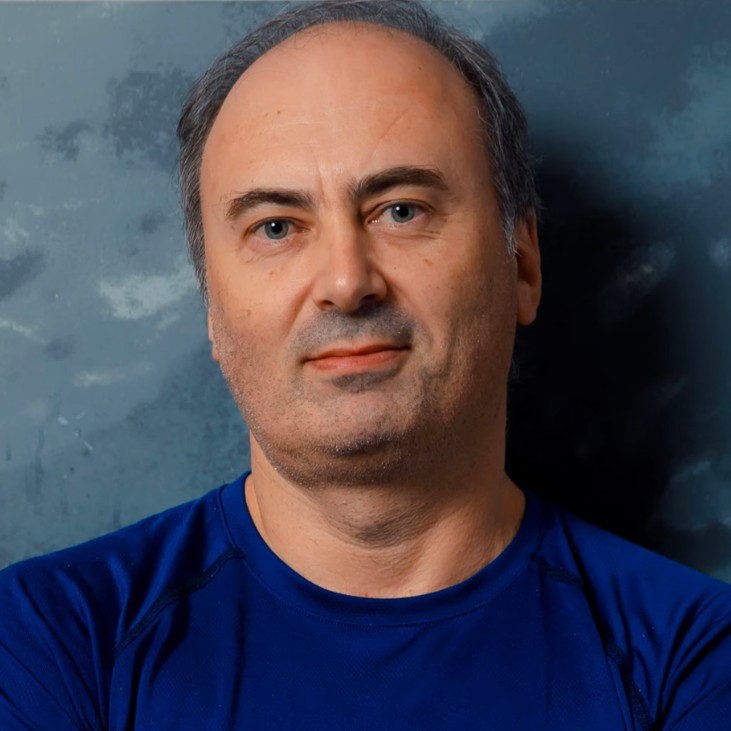
Pavel is the author of the books “Windows Kernel Programming” (2nd edition) and “Windows Native API Programming”, co-author of “Windows Internals, 7th Edition, Part 1” (Microsoft Press), and a Microsoft MVP, with more than 25 years as a developer, consultant, trainer, author and speaker.
In this course he builds minifilters, filter drivers and a KMDF driver live, using the samples from his Windows Kernel Programming book, in Visual Studio, loads them in a test VM and debugs them in WinDbg.
Not the right fit if you have never written a Windows driver (take Windows Kernel Programming 1 first), or if you want deep, lab-heavy practice with minifilters, the Windows Filtering Platform and KMDF with full solution walkthroughs: Advanced Windows Kernel Programming goes much further on the same subjects.
Roles this course prepares you for: Windows developers and security researchers.
This is the short, focused finish to the two-part series: 24 lessons and about 6.5 hours, in three chapters: file system minifilters, driver techniques with Plug and Play and filter drivers, and an introduction to KMDF. Each topic is explained on slides and then built and debugged live in a test virtual machine, and the videos suggest exercises you can try on your own, such as blocking deletion by a specific process or hiding a directory.
Advanced Windows Kernel Programming covers the same areas in far more depth (81 video lessons, about 30 hours) and adds the Windows Filtering Platform, synchronization, kernel data structures, and downloadable labs with full solution walkthroughs. Take part 2 for a quick, practical introduction after Windows Kernel Programming 1, or go straight to the advanced course if you want depth and practice.
Minifilters and device filters are how kernel products observe and control what happens on a machine. Antivirus and EDR agents, anti-ransomware and data protection products, and tools such as Process Monitor all rely on them. Knowing how they are registered, how they process each request and how they talk to their user-mode service makes you a better driver developer, and shows security researchers exactly what these products can see.
You follow the DelProtect minifilter from registration to a working filter that blocks file deletion, then add a communication port and a user-mode client. You see a ransomware-protection style filter and an antivirus-style service design, write a beep device filter, and rewrite the Booster driver in KMDF with a device interface, a SetupDi-based client and an INF file. Every driver is loaded in a test virtual machine and inspected with fltmc, WinDbg and the Sysinternals tools. The exercises are described in the videos rather than shipped as lab documents. If you want to go further into security, EDR Internals builds directly on these skills.
File system minifilters from the ground up: the Filter Manager, altitudes, frames and instances, registration with FLT_REGISTRATION and the operation callback array, and installation through an INF file or the registry. You write pre and post operation callbacks, read request parameters, retrieve file names and attach contexts, generate I/O with the Flt APIs, open a communication port between the filter and a user-mode client, and debug it all with the fltkd extension. A DelProtect minifilter that blocks file deletion is the running example.
Production habits for driver code: securing device objects with IoCreateDeviceSecure and SDDL, advanced memory management (pool priority, special pool, C++ new and delete overloads, look-aside lists), ETW trace logging instead of DbgPrint, calling native Zw APIs, and why hooking another driver is a bad idea. Then Plug and Play: devnodes, PDOs and FDOs, upper and lower filters, IRP flow and completion routines, and an upper filter driver over a beep device.
A single long lesson on the Kernel-Mode Driver Framework built on top of WDM: the WDF history, the KMDF object model and naming conventions, queues, context memory and reference counting. The Booster driver from Windows Kernel Programming 1 is rewritten in KMDF with a device interface, a SetupDi-based client and an INF file.
Not really. The course assumes you already write drivers: IRPs, I/O stack locations, dispatch routines, device objects, IRQL, pool memory and kernel debugging all come from Windows Kernel Programming 1. With equivalent professional driver experience you will be fine; otherwise take part 1 first.
A Windows 10 or 11 machine with Visual Studio and the Windows Driver Kit, plus a Windows 10 or 11 virtual machine (at least 8 GB RAM and 40 GB disk) with test signing enabled where you can load, unload and crash drivers. WinDbg is used for the debugging lessons, and the Sysinternals tools are handy for inspection.
A kernel driver that plugs into the Filter Manager (FltMgr) to see and act on file system operations, such as blocking a delete or watching file writes. The Filter Manager calls minifilters in order of their altitude, which makes them simpler and safer to write than legacy file system filters. Antivirus, anti-ransomware and backup products are built on them.
Properly, for the core of the subject. Ten lessons take you from the Filter Manager and altitudes through registration, pre and post callbacks, parameters, file names, contexts, generating I/O, user-kernel communication ports and fltkd debugging, with a working delete-protection filter as the running example.
A driver that attaches above (upper) or below (lower) the function driver in a Plug and Play device stack, so it sees the IRPs for that device and can change its behavior. Filters are listed in the UpperFilters and LowerFilters registry values and attach in their AddDevice routine. The course explains the device tree and writes an upper filter over a beep device.
KMDF is one lesson of about 55 minutes: the WDF history, the object model, queues and context memory, and the Booster driver rewritten in KMDF with a device interface and an INF file. Hardware appears only as far as filters need it, through the Plug and Play lessons. Function drivers for real hardware, interrupts and DMA are out of scope.
DbgPrint output is unstructured, costly and usually missing from release builds. Event Tracing for Windows, and TraceLogging in particular, gives typed, structured events with levels that you can capture with TraceView or ETW Explorer and analyze in Windows Performance Analyzer. The course shows how to add it to a driver.
Device object security with SDDL, advanced pool and look-aside memory including C++ new and delete overloads, ETW trace logging, calling native Zw APIs from the kernel, a short note on why hooking another driver is a bad idea, and the Plug and Play and filter driver lessons with IRP flow and completion routines.
They overlap on minifilters, filter drivers and KMDF. Part 2 is the short finish to the two-part series and is included in the Windows Master Developer path. Advanced Windows Kernel Programming is much longer, adds the Windows Filtering Platform, synchronization and kernel data structures, and includes downloadable labs with solution walkthroughs, so pick it if you want depth and practice.
No. It teaches the defensive and product-building side: how minifilters, device filters and secured device objects work, and how products such as antivirus filters and Process Monitor are put together.
The exercises are described in the videos rather than shipped as lab documents. The minifilter and KMDF examples come from the sample code of Pavel’s Windows Kernel Programming book on GitHub (chapters 12 and 14 of the second edition samples).
Pre-recorded and self-paced. It was recorded from a live class, so you will hear student questions and end-of-session wrap-ups. Every video has English captions.
24 video lessons, about 6.5 hours of video. If you build the DelProtect minifilter, the beep filter and the KMDF Booster driver yourself, plan on roughly double the video time.
Yes. When you complete every lesson you receive a certificate of completion and a Credly badge. The course earns 6 CPE/CEU credits, which you self-report to your certification body with your TrainSec certificate.
$99 as a single payment; there is no payment plan on this course. It is also included in the Windows Master Developer learning path.
Lifetime access. Videos stream in the browser and cannot be downloaded for offline viewing.
Refunds are available up to 14 days after purchase, to the original payment method. Email [email protected] to request one.
Advanced Windows Kernel Programming for lab-heavy practice on the same subjects plus Windows Filtering Platform callout drivers, or EDR Internals: Research and Development to see how security products use these mechanisms.
Pavel is the author of the books “Windows Kernel Programming” (2nd edition) and “Windows Native API Programming”, co-author of “Windows Internals, 7th Edition, Part 1” (Microsoft Press), and a Microsoft MVP, with more than 25 years as a developer, consultant, trainer, author and speaker.
In this course he builds minifilters, filter drivers and a KMDF driver live, using the samples from his Windows Kernel Programming book, in Visual Studio, loads them in a test VM and debugs them in WinDbg.
Continue from Windows Kernel Programming 1 into file system minifilters, Plug and Play filter drivers and KMDF. Pavel Yosifovich, author of Windows Kernel Programming and co-author of Windows Internals, shows how antivirus-style minifilters and device filters are built, plus the production habits every driver needs: secured device objects, advanced pool memory and ETW trace logging.
