Learn to write fast, safe and maintainable C++ the modern way, from C++11 through C++20 and C++23. Pavel Yosifovich, co-author of Windows Internals, takes you from the build model and language basics to move semantics, templates, smart pointers, concurrency, concepts, ranges and coroutines, with hands-on labs after every module.


36+ hours
on-demand video
Labs
exercises after each module
195
video lessons
6
downloadable resources
31 CPE
CEU credits, self-reported
Certification
Certificate of completion
C++ is still the language behind operating systems, browsers, game engines, databases and most of the security tooling on Windows. But the C++ written today looks very different from the “C with classes” many developers learned. Modern C++ (C++11 and later) gives you move semantics, smart pointers, lambdas, a rich standard library and, since C++20, concepts, ranges, modules and coroutines. Used well, these features let you write code that is as fast as ever, and far safer and easier to maintain.
In this course Pavel Yosifovich, co-author of Windows Internals and author of Windows Kernel Programming, teaches the language the way he uses it every day. You start with how a C++ program is built (preprocessor, compiler, linker) and the language fundamentals, then move through object-oriented programming, operator overloading, the standard library, modern language features, templates, resource management with RAII and smart pointers, error handling, and multithreading with a real look at CPU caches and the C++ memory model. The course ends with the C++20 and C++23 features that are changing how C++ is written.
The course is a recording of a live class: 195 video lessons in 12 modules, with a slides PDF, a labs PDF with exercises for each module, recorded lab solution walkthroughs and downloadable lab solutions. All demos use Visual Studio 2022, and every video has English captions. You learn at your own pace, with lifetime access. This course was previously published as C++ Programming Masterclass.
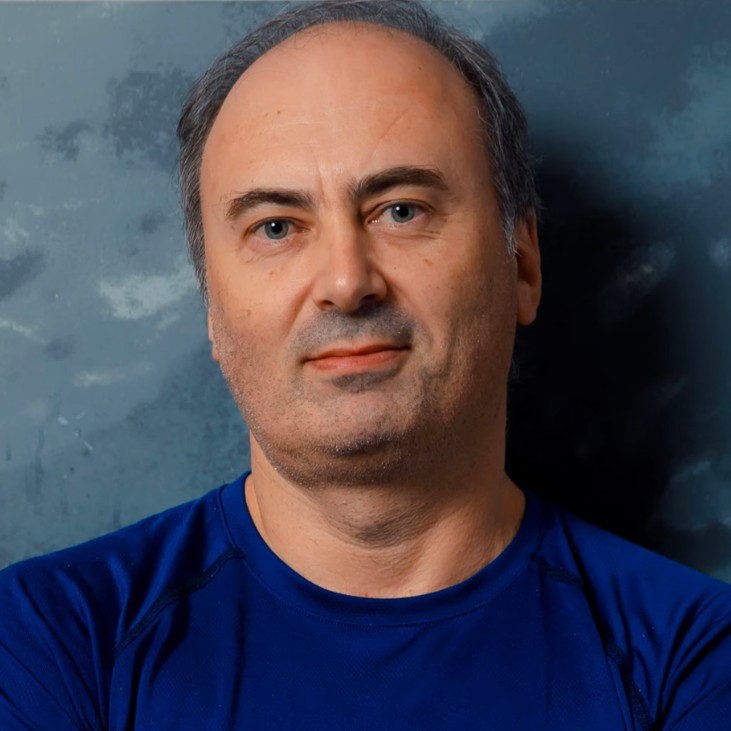
Pavel has been writing C++ professionally for more than 25 years, as a software developer, consultant, trainer, author and speaker, and is a Microsoft MVP. He is the co-author of “Windows Internals, 7th Edition, Part 1” (Microsoft Press) and the author of “Windows Kernel Programming” and “Windows 10 System Programming” and “Windows Native API Programming”, books built on modern C++ code. His many open-source Windows tools on GitHub are written in C++ too.
In this course he teaches C++ the way he uses it every day: in real system-level code where performance, correctness and clean resource management matter.
Not the right fit if you have never programmed before, if you already know C++ and want the Windows API (take Windows System Programming 1), or if you want Windows GUI development (take GUI Programming with WTL).
C++ has changed more since 2011 than in the two decades before it. A new standard ships every three years, and each one adds features that make code shorter, safer and faster. This course covers the whole language, so you can start from the beginning or jump straight to the modules you need.
Every module combines slides, live coding in Visual Studio and labs. Several modules use real Windows examples, such as RAII wrappers for kernel handles and registry keys, process enumeration with Toolhelp, and EnumWindows callbacks written as lambdas, which makes the course a natural foundation for Pavel’s Windows programming courses.
Much C++ code in the wild still manages memory by hand with new and delete, copies objects it could move and writes raw loops where an algorithm would do. Modern C++ replaces these habits with RAII, smart pointers, move semantics, lambdas and the standard algorithms. The result is code with fewer leaks and crashes and clearer intent, that runs as fast as the old style or faster. This course shows not just the syntax of each feature, but why it exists and when to use it.
C++ is the main language of Windows system programming, COM, drivers and most native security tools. If you plan to take Windows System Programming, COM Programming, GUI Programming with WTL or Windows Kernel Programming, this course gives you the C++ those courses assume: classes and virtual functions, templates and CRTP, RAII and smart pointers. Security researchers and tool builders get the same benefit when they write their own native tools.
Meet the course and its instructor: the goals, who the course is for, how the slides, labs and recordings are organized, a tour of the modules ahead, and the books and online references (cppreference, the C++ Core Guidelines and conference talks) worth keeping open while you learn. The slides PDF and labs PDF for the whole course are available here.
A first look at C++: where the language came from, how it evolved from C with classes to a new standard every three years, and what it means to really know a language (the syntax, the standard library and the idioms). You write Hello World three ways, with printf, with cout and with C++23 print, and get a first glimpse of C++20 modules.
The module then explains the build model of preprocessor, compiler and linker, compares compilers and IDEs, and sets up Visual Studio 2022. You will learn how to use external libraries, the difference between static and dynamic linking, and how to install packages with NuGet and vcpkg.
The core of the language, covered properly. The module starts with the preprocessor (includes, macros, conditional compilation, pragmas) and moves through data types, variables, literals, sizeof and const, arrays, and pointers with pointer arithmetic. It then covers references, const with pointers, classic and scoped enums, volatile, and all the operator families with their precedence rules.
The second half covers control flow, including initializers in if statements, and functions in depth: argument passing, inline and recursive functions, constexpr, overloading, default arguments and how the compiler matches overloads. It ends with the stack versus the heap, new and delete, namespaces and the C++ cast operators. A recorded walkthrough of the module labs shows the solutions step by step.
How C++ does object orientation. You will build classes with data and member functions, control visibility, and create objects on the stack and on the heap. The module covers every kind of constructor (default, member initializer lists, delegating and explicit), destructors, const member functions and mutable, the this pointer and static members.
It then moves to inheritance, polymorphism and virtual functions, including how the virtual table works, and abstract types used as interfaces. A large part of the module is dedicated to copying and moving: the copy constructor and copy assignment, rvalue references and move semantics, the move constructor and move assignment, and defaulted and deleted functions. It closes with forward declarations, unions, bit fields and nested types, plus a long walkthrough of the module 2 labs, including tic-tac-toe.
When and how to make your own types behave like built-in ones. The module explains when overloading is a good idea (only when the meaning is intuitive), member versus free function overloads, unary operators, prefix and postfix ++ and –, and binary operators on a 3D vector type. You will see why some operators must be global functions, how to make multiplication commutative and how to print your types to a stream.
The module ends with conversion operators and the explicit keyword, and a side lesson on dynamic_cast and run-time type information (RTTI).
The three pillars of the standard library: containers, iterators and algorithms. Along the way you meet auto type inference and the range-based for loop, which make standard library code readable. The module covers vector, array, deque and list, the ordered and unordered associative containers (with custom comparators and hash functions) and the container adapters.
You will learn the iterator categories and why they matter, how to use algorithms such as sort, find, count and remove/erase, how iterators get invalidated, and how to pass function pointers and functors to algorithms. The module closes with strings, string views and the difference between emplacement and insertion.
The C++ stream library and its class hierarchy: cout, cerr, clog and cin, string streams, file streams and stream manipulators for formatting. Then the modern way to format text: C++20 std::format and vformat with format specifiers, and how to make your own types formattable by specializing std::formatter.
The features from C++11 onward that changed everyday C++ code. Lambda functions get extended coverage: syntax, capture modes, mutable lambdas, storing lambdas in std::function, and generic lambdas with auto. The module also covers uniform initialization and initializer_list, static_assert, structured bindings, standard attributes, decltype (including binding to a function found with GetProcAddress), noexcept and thread local storage.
It includes a one-hour walkthrough of the module 3 labs.
This module teaches you to write templates, not just use them. It starts with function templates, type deduction and explicit template arguments, overloading and specialization, and explains instantiation and linkage, including why templates live in header files. It continues with class templates, default template parameters, allocators, class template specialization (such as vector<bool>) and template aliases.
The advanced part covers the Curiously Recurring Template Pattern (CRTP) with examples from WTL and ATL, trait classes and type_traits combined with static_assert, member templates and non-type template parameters, template metaprogramming, variadic templates, if constexpr, std::tuple and class template argument deduction.
RAII, the most important idiom in C++. You will write your own RAII wrappers for locks and Windows kernel handles, see how the Windows Implementation Library (WIL) does it, and find the RAII types already in the standard library.
The module then covers the standard smart pointers in depth: unique_ptr with make_unique, custom deleters and the Pimpl idiom; shared_ptr with reference counting, the control block and make_shared; and weak_ptr for breaking reference cycles. It closes with error handling: return codes versus exceptions, throwing and catching, the standard exception types, nothrow and placement new, and stack unwinding.
A tour of standard library types every C++ developer should know: random number engines and distributions, the vocabulary types variant, optional, any and expected, std::invoke and std::apply for generic calls, and std::chrono for clocks, durations and time points, including a timing example.
Multithreading done right starts with the hardware. The module explains threads versus processes, CPU sockets, cores and caches, cache lines and false sharing, the C++ memory model and how compiler and CPU reordering affect your code, and atomic operations.
It then covers the threading library: std::thread and jthread, mutexes, lock_guard and scoped_lock, deadlocks, shared_mutex for rarely updated data, recursive mutexes, condition variables, call_once for lazy initialization, async and futures, and the C++17 parallel algorithm execution policies.
The features of C++20 and C++23 that are reshaping the language. Concepts make templates easier to write and their error messages easier to read. Ranges and views let you compose lazy pipelines in a style similar to LINQ. Modules replace header files, including import std. Coroutines, covered in a 42-minute lesson, bring generators and co_await to C++.
The emphasis is on what each feature looks like, why it matters and how far real-world adoption has come. The course ends with a wrap-up and advice on where to go next.
Downloadable source code for the lab solutions of modules 2 to 5.
No. The course starts with Hello World and the build process and covers the whole language. You do need programming experience in some language, since the course does not teach general programming concepts. Knowing C helps but is not required.
Very likely. Experienced developers can skip the early modules and go straight to the parts that matter most in modern code: move semantics, templates and metaprogramming, RAII and smart pointers, the C++ memory model and atomics, and the C++20/23 features concepts, ranges, modules and coroutines.
C++11 through C++23. Modern features are taught throughout the course, and the later modules cover C++20 and C++23 additions such as std::format and std::print, concepts, ranges and views, modules with import std, coroutines and std::expected.
Visual Studio 2022 and its C++ workload. Every demo and lab uses it, and the course shows how to set it up. No virtual machine is needed. Most of the material is not Windows-specific, so you can generally follow it on any operating system.
The language and standard library content applies on any platform, and other compilers such as GCC and Clang are discussed. However, all demos use Visual Studio on Windows and a few examples call the Windows API, so on another platform you will need to adapt the setup yourself.
Yes. A labs PDF has exercises for the modules, recorded walkthroughs show the lab solutions step by step, and downloadable solutions are provided for modules 2 to 5.
No. It teaches the C++ language and standard library with console programs, with a few Windows examples such as handle wrappers and process enumeration. To apply your C++ to Windows, continue with Windows System Programming 1, and for desktop GUIs take GUI Programming with WTL.
Take this course if you work with existing C++ code, plan to develop for Windows, or want to continue to Pavel’s Windows programming courses. Take the Rust Programming Masterclass if you want to learn a newer, memory-safe systems language. Both are taught by Pavel.
Windows System Programming 1 is the natural next step, or the Windows Master Developer learning path for the full Windows development sequence.
Yes. When you complete every lesson you receive a certificate of completion and a Credly digital badge. The course also earns 31 CPE/CEU credits, which you self-report to your certification body using your certificate.
Yes. Three lessons are free to preview: Introduction, C++ Overview and Macros. Watch them on the course page.
It is a recording of a live class. You watch it on demand, at your own pace, with lifetime access.
More than 36 hours of video in 195 video lessons, plus the slides and labs PDFs and the lab solutions.
$690 as a single payment, or 10 monthly payments of $73 ($730 in total).
You can get a refund within 14 days of purchase, to the original payment method.
Pavel has been writing C++ professionally for more than 25 years, as a software developer, consultant, trainer, author and speaker, and is a Microsoft MVP. He is the co-author of “Windows Internals, 7th Edition, Part 1” (Microsoft Press) and the author of “Windows Kernel Programming” and “Windows 10 System Programming” and “Windows Native API Programming”, books built on modern C++ code. His many open-source Windows tools on GitHub are written in C++ too.
In this course he teaches C++ the way he uses it every day: in real system-level code where performance, correctness and clean resource management matter.
Learn to write fast, safe and maintainable C++ the modern way, from C++11 through C++20 and C++23. Pavel Yosifovich, co-author of Windows Internals, takes you from the build model and language basics to move semantics, templates, smart pointers, concurrency, concepts, ranges and coroutines, with hands-on labs after every module.
