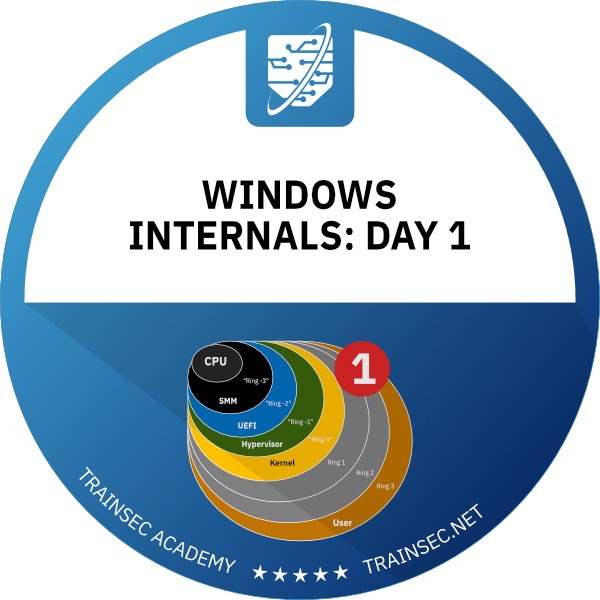
Start here to understand how Windows works beneath your code. Pavel Yosifovich, co-author of Windows Internals, explains processes, virtual memory, threads, the system architecture and system calls, and shows each one live in Task Manager, Process Explorer and WinDbg.



8+ hours
on-demand video
Live demos
in Process Explorer and WinDbg
32
video lessons
4
downloadable resources
7 CPE
CEU credits, self-reported
Certification
Certificate of completion
Windows Internals: Day 1 of 5 is a Windows internals fundamentals course taught by Pavel Yosifovich, co-author of Windows Internals, 7th Edition, Part 1 (Microsoft Press). It opens the five-part series with Windows versions, processes, virtual memory, threads, the system architecture, system calls and first steps with WinDbg in user and kernel mode.
The course follows Windows from NT 3.1 through Windows 11 and mixes slides with live demos on Windows 10 and 11 in Task Manager, Process Explorer and WinDbg, so you see each concept on a running system.
The course has 32 pre-recorded video lessons, 8 hours 28 minutes of video, with English captions. You also get the slides PDF, the labs PDF, a demos ZIP and a file of user-mode WinDbg commands. You learn at your own pace, with lifetime access.
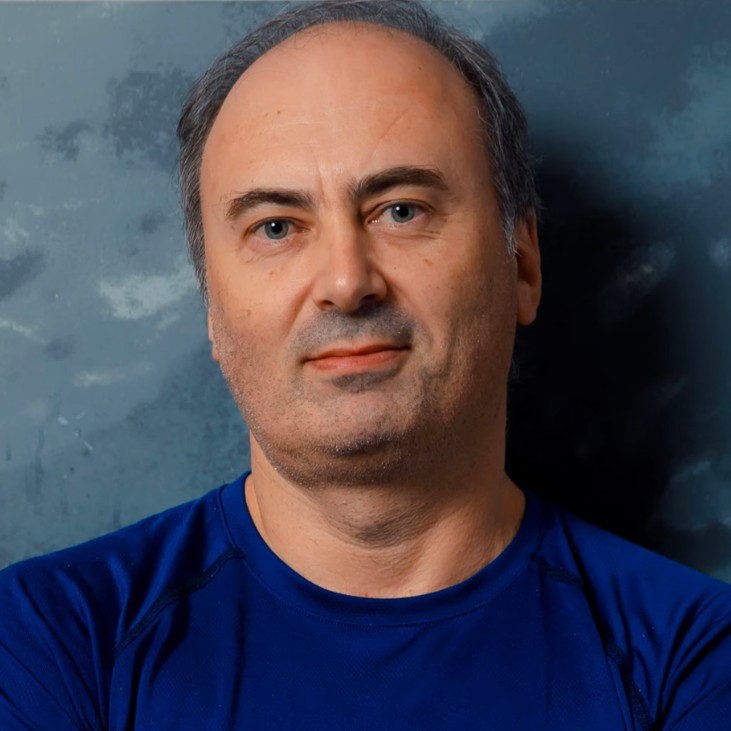
Pavel has been working at the lowest levels of Windows for more than 25 years, as a developer, consultant, trainer, author and speaker, and is a Microsoft MVP. He is the co-author of “Windows Internals, 7th Edition, Part 1” (Microsoft Press) and the author of “Windows Kernel Programming”, “Windows 10 System Programming” and “Windows Native API Programming”.
In this course he lays out the fundamentals that the rest of his Windows Internals series builds on, and shows each one live in Task Manager, Process Explorer and WinDbg.
Not the right fit if you want deep coverage of process, job and thread scheduling (Windows Internals: Day 2), memory management in depth (Windows Internals: Day 4), a complete debugger course (Mastering WinDbg), or to write code against the Windows APIs or drivers (Windows System Programming 1 or Windows Kernel Programming 1).
The course has six chapters: an introduction, Windows versions, core concepts, the system architecture, using WinDbg, and a closing chapter on the SSDT, core system files, objects and handles, sessions and system processes.
It is the first course of the Windows Internals Master, Windows Master Developer and Windows Security Researcher learning paths.
Windows internals is how the operating system works beneath your code: how it manages processes, threads and memory, and how a call in your program reaches the kernel. Day 1 is the entry point of the five-part series and of all three Windows learning paths, so the later courses can build on these concepts.
Two long demos teach you to read these tools properly. In Task Manager you compare the private working set with commit size and see why commit size is better for spotting memory leaks, and you use the handle and thread columns to find apps that leak them. In Process Explorer you read private bytes, see how svchost hosts services, follow the parent and child process tree, and use the lower pane to look at handles, DLLs and threads.
The course follows a CreateFile call from Notepad to NtCreateFile in ntdll. There, a system service number is loaded into EAX and the syscall instruction jumps to the system service dispatcher, which indexes the SSDT and calls the executive function. You then find those entries yourself through KiServiceTable in local kernel debugging.
One chapter gives you a guided first look at WinDbg. You debug Notepad with breakpoints on CreateFileW and NtCreateFile, read the file name argument from RCX using the x64 calling convention, inspect the TEB and PEB, configure the Microsoft symbol server, and turn on local kernel debugging with bcdedit. It is an introduction: Mastering WinDbg is the full course on the debugger, including dump analysis and extensions.
Security researchers and malware analysts rely on these mechanisms. The course explains, as concepts, why system call numbers change between Windows versions and how direct system calls relate to EDR hooking, why PatchGuard prevents SSDT hooking, and what special system processes such as lsass do.
Windows Internals: Day 2 is the direct continuation, with processes, jobs and threads in depth. Days 3, 4 and 5 then cover objects and synchronization, memory management, and I/O and security. If you want to program Windows, continue with Windows System Programming 1. For the tools, take Mastering WinDbg and Sysinternals Tools Deep Dive 1.
To buy all five days together, see the Windows Internals Bundle. For a complete Windows internals training path, see Windows Internals Master, which adds the x64, Sysinternals and WinDbg courses.
A short introduction to what the course teaches. Day 1 is the basis for the more advanced courses in the series. The slides and labs are in the PDF downloads.
Windows versioning and history from Windows NT 3.1 through Windows 11: internal version numbers and the GetVersionEx compatibility problem with a manifest demo, the convergence of Xbox, Phone and desktop Windows into one source base, Windows 10 release naming, and a short look at Windows 11.
The tool categories (built-in, Sysinternals, Debugging Tools for Windows and the instructor’s tools) and the core concepts of process, virtual memory and thread. Hands-on tours of Task Manager and Process Explorer for processes, memory columns, services, handles and threads, plus 32-bit and 64-bit address space layouts.
User mode and kernel mode, the executive, kernel, HAL, device drivers and Win32k.sys, and the flow from CreateFile in Notepad to NtCreateFile. Also multiprocessing (SMP, NUMA, processor groups, big.LITTLE), subsystems and CSRSS, subsystem DLLs, native applications, the Native API in ntdll, and the system call mechanism.
An introduction to the tool and its four debuggers, user-mode debugging of Notepad with breakpoints on CreateFileW and NtCreateFile, reading arguments through the x64 calling convention, symbol server configuration, a lab, and local kernel debugging setup with bcdedit. You also inspect the TEB, PEB, handles and kernel modules.
The system service dispatch table and how system calls map to kernel functions, the core Windows files, kernel objects and handles, sessions with window stations and desktops, and the special system processes. Slides mixed with demos in Object Explorer, Process Explorer and the kernel debugger.
It is the right starting point if you are new to Windows internals: it is the first course in the series and no prior internals knowledge is needed. You should be comfortable with Windows, and some programming background makes it easier.
No coding is required. There is one assembly slide on how system calls work, and WinDbg shows function arguments in registers, which is explained as it goes.
A Windows 10 or 11 machine or VM where you have administrator rights, the Sysinternals tools, and WinDbg with symbols configured (a lab walks through this). Local kernel debugging requires turning on debug mode, which does not work with Secure Boot enabled, so a VM is convenient.
Yes, one chapter introduces WinDbg: user-mode debugging of Notepad, breakpoints, call stacks, symbols and local kernel debugging. For full debugger coverage, including dump analysis, take Mastering WinDbg.
No. Day 1 introduces virtual memory, threads and objects. Processes, jobs and scheduling are in Day 2, objects and synchronization in Day 3, memory management in Day 4, and I/O and security in Day 5.
Pre-recorded and self-paced. The videos are recordings of a live class, so you will hear occasional references to live sessions and later modules.
32 video lessons with 8 hours 28 minutes of video, plus the slides PDF, the labs PDF, a demos ZIP and a user-mode commands file.
Yes. Three lessons are free to preview: Introduction, Windows Convergence and Processes. You can watch them on the course page on the learning platform.
Yes. When you complete every lesson you receive a certificate of completion and a Credly badge. The course earns 7 CPE/CEU credits, which you self-report to your certification body with your TrainSec certificate.
$199 as a single payment, or 2 payments of $105 ($210 in total). It is also included in the Windows Internals Bundle and in the Windows Internals Master, Windows Master Developer and Windows Security Researcher learning paths.
Yes. The Windows Internals Bundle includes Days 1 to 5 for $849, and the Windows Internals Master learning path adds the x64, Sysinternals and WinDbg courses for $1,356.
Lifetime access, including future updates to the course.
Refunds are available up to 14 days after purchase, to the original payment method. Email [email protected] to request one.
Windows Internals: Day 2 is the direct continuation. If you want to program Windows, Windows System Programming 1 is the next course in the Windows Master Developer path.
Pavel has been working at the lowest levels of Windows for more than 25 years, as a developer, consultant, trainer, author and speaker, and is a Microsoft MVP. He is the co-author of “Windows Internals, 7th Edition, Part 1” (Microsoft Press) and the author of “Windows Kernel Programming”, “Windows 10 System Programming” and “Windows Native API Programming”.
In this course he lays out the fundamentals that the rest of his Windows Internals series builds on, and shows each one live in Task Manager, Process Explorer and WinDbg.
Start here to understand how Windows works beneath your code. Pavel Yosifovich, co-author of Windows Internals, explains processes, virtual memory, threads, the system architecture and system calls, and shows each one live in Task Manager, Process Explorer and WinDbg.
