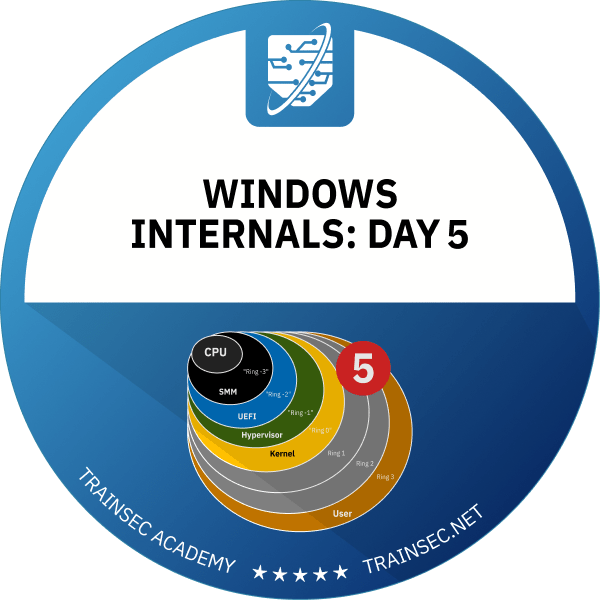
The last course in the series covers the I/O system and Windows security. Pavel Yosifovich, co-author of Windows Internals, explains drivers, Plug and Play and IRPs, then VBS, Secure Boot, logon, UAC, tokens, access checks, integrity levels and mitigations, with live demos in WinDbg and Process Explorer.



8+ hours
on-demand video
Live demos
in WinDbg and Process Explorer
47
video lessons
1
slides PDF included
8 CPE
CEU credits, self-reported
Certification
Certificate of completion
This Windows I/O and security internals course is taught by Pavel Yosifovich, co-author of Windows Internals, 7th Edition, Part 1 (Microsoft Press). It covers two big areas: the I/O system, with drivers, Plug and Play, IRPs, device and driver objects, driver models, installation and Driver Verifier, and Windows security, with VBS, UEFI and Secure Boot, logon, UAC, SIDs, tokens, privileges, security descriptors, access checks, integrity levels, AppContainers, CFG and process mitigations.
It is the last of the five courses in the series. It explains how these mechanisms work and shows them live in the debugger. You do not write a driver here, and it does not teach how to bypass the mechanisms.
The course has 47 pre-recorded video lessons, 8 hours 22 minutes of video, with English captions, plus the class slides as a PDF. You learn at your own pace, with lifetime access.
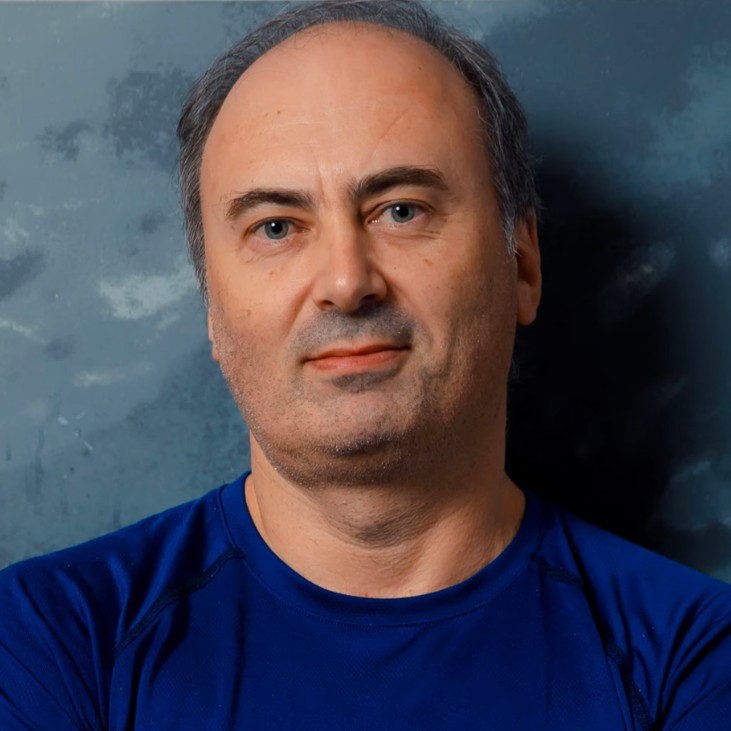
Pavel has been working at the lowest levels of Windows for more than 25 years, as a developer, consultant, trainer, author and speaker, and is a Microsoft MVP. He is the co-author of “Windows Internals, 7th Edition, Part 1” (Microsoft Press) and the author of “Windows Kernel Programming”, “Windows 10 System Programming” and “Windows Native API Programming”.
In this course he explains the Windows I/O system and security model, and shows each mechanism live in the kernel debugger and Sysinternals tools.
Not the right fit if you are completely new to Windows internals (start with Windows Internals: Day 1), if you want hands-on driver coding (Windows Kernel Programming 1), a debugger course (Mastering WinDbg), or malware analysis or exploitation techniques (Malware Analyst Professional Level 1).
The course has ten chapters. After a short introduction, five cover the I/O system: basics, I/O request packets, devices and drivers, IRP processing, and more about drivers. Four cover security: fundamentals, security in detail, securing objects, and other security features.
It is part of the Windows Internals Master and Windows Security Researcher learning paths and the Windows Internals Bundle.
A ReadFile call goes through NtReadFile in the I/O Manager, which builds an I/O request packet and sends it to the driver. An IRP carries an array of IO_STACK_LOCATION structures, always enters a dev node at the top layer, and each layer can pass it down with IoCallDriver, register a completion routine, or complete it with IoCompleteRequest. You inspect real IRPs in the kernel debugger with !irp and !irpfind.
Plug and Play enumerates devices and finds their drivers, and the course explains the Enum, Services and class registry keys behind it. A device node is built bottom up from the PDO of the bus driver, optional filters and the FDO of the function driver. Windows deals with devices, not drivers: four serial ports are four dev nodes served by a single driver, and handles are always opened to devices.
A driver often runs in an arbitrary thread context at high IRQL, so it cannot simply touch a user buffer. Buffered I/O copies through a system buffer in non-paged pool, Direct I/O locks the buffer in RAM and maps it with an MDL, and Neither I/O leaves the work to the driver. The course compares the three as part of following an IRP through a typical hardware driver, from the dispatch routine through StartIo, ISR and DPC.
The course compares the WDM, KMDF and UMDF driver models, explains INF-based installation with hardware and compatible IDs and driver signing, and uses Driver Verifier with NotMyFault to find driver memory and IRQL bugs. To write drivers yourself, continue with Windows Kernel Programming 1.
Virtualization-based security splits the system into virtual trust levels. You learn the role of SLAT and the IOMMU, the secure kernel, isolated user mode and trustlets, HVCI compared with kernel mode code signing, and HyperGuard compared with PatchGuard. The course explains how Credential Guard protects credentials through the LsaIso trustlet, Kernel Data Protection, and how to check VBS status with msinfo32.
In Secure Boot each boot component verifies the signature of the next, from firmware and UEFI through boot applications and the OS loader. You look at the EFI System Partition and learn what Secure Boot blocks, including local kernel debugging. That is why kernel debugging in a virtual machine is often more practical.
The course covers Winlogon, LogonUI, credential providers, LSASS and the security reference monitor, then the logon sequence. For UAC you see the split administrator and filtered standard token, consent versus over-the-shoulder prompts, and session 0 isolation. Our knowledge library also explains how UAC virtualization works.
You work through SIDs, primary and impersonation tokens, privileges and user rights, then the owner, DACL and SACL inside a security descriptor. An access check evaluates the ACEs in order until all requested access bits are resolved, with a default deny at the end of the list. For more background, read our post on logon sessions and tokens and our post on privileges.
Integrity levels apply the no-write-up rule before the DACL is checked, and UIPI extends the idea to window messages. The course then covers AppContainer sandboxing, Control Flow Guard and its target validation, and process mitigation policies such as disabling Win32k calls and strict handle checks.
The demos use WinDbg with local kernel debugging, Process Explorer, WinObj, Device Manager, Registry Editor, Visual Studio, Driver Verifier, NotMyFault, msinfo32, diskpart, fltmc and PsExec, plus several of Pavel’s own tools. The class slides are included as a PDF.
To write drivers, continue with Windows Kernel Programming 1. For security work, take Malware Analyst Professional Level 1 or EDR Internals. Mastering WinDbg is a good companion for either direction.
Day 5 is also included in the Windows Internals Bundle and in the Windows Internals Master and Windows Security Researcher learning paths.
A short introduction to Day 5, which covers the Windows I/O system and then security.
The goals and components of the I/O system (I/O Manager, Plug and Play Manager, Power Manager, HAL, WMI, INF installation), driver categories including UMDF, and how Plug and Play enumerates devices and finds drivers. The Enum, Services and class registry keys, Device Manager views, and the device node built from PDO, filters and FDO.
What an IRP and its IO_STACK_LOCATION array contain, who creates them, and how they flow down a dev node through IoCallDriver, completion routines and IoCompleteRequest, with kernel debugger demos using !irp and !irpfind.
How clients reach devices through symbolic links and device interfaces with CreateFile, a demo opening the Process Explorer driver device, asynchronous I/O with overlapped operations, kernel driver characteristics and the Plug and Play state machine, and DRIVER_OBJECT and DEVICE_OBJECT inspected with !drvobj and !devobj.
The life of an IRP inside a typical hardware driver, from the dispatch routine through StartIo, ISR and DPC, with the thread and IRQL contexts involved. Then Buffered, Direct and Neither I/O and the MDL-based mapping drivers use to access user buffers safely.
The WDM, KMDF and UMDF driver models, INF-based installation with hardware and compatible IDs, driver signing and WHQL, and Driver Verifier for finding memory and IRQL bugs. It ends with a recap of the I/O system.
An overview of Windows NT security, then virtualization-based security (VTLs, SLAT, IOMMU, the secure kernel, trustlets, HVCI, HyperGuard and Credential Guard), followed by UEFI, the EFI System Partition and Secure Boot.
The security components (Winlogon, LogonUI, credential providers, LSASS and the security reference monitor), the logon sequence and Userinit, UAC with virtualization and elevation, and session 0 isolation.
How Windows protects kernel objects: security descriptors, SIDs, primary and impersonation access tokens, privileges and user rights, DACLs, SACLs and ACEs, and the access check algorithm, inspected in Process Explorer, Local Security Policy, System Explorer and the kernel debugger.
Integrity levels and UIPI, AppContainer sandboxing for UWP processes, Control Flow Guard and its bitmap-based target validation, and process-level mitigation policies. It ends with the course summary.
They are recommended. The course builds on concepts from earlier days such as processes, handles, IRQLs, DPCs and memory. If you are new to Windows internals, start with Windows Internals: Day 1. If you already know those topics, you can take Day 5 on its own.
No. Drivers are explained conceptually and examined in the kernel debugger, with a short user-mode demo that opens a driver’s device. To write drivers, take Windows Kernel Programming 1 next.
No. It explains how Windows security mechanisms work, for example how Credential Guard protects credentials and how access checks decide, not how to bypass them.
Buffered I/O copies data through a system buffer. Direct I/O locks the user buffer in RAM and describes it with an MDL. Neither I/O gives the driver the user address and leaves safe access to it.
It goes through the ACEs in the DACL in order until all requested access bits are resolved. If they are not all granted by the end of the list, access is denied.
A Windows 10 or 11 machine with WinDbg, the Sysinternals tools (Process Explorer, WinObj, NotMyFault, PsExec) and optionally Visual Studio. Kernel debugger demos use local kernel debugging, which does not work with Secure Boot enabled, so a virtual machine is a good place to try them.
Day 5 teaches Windows I/O and security internals and uses WinDbg only to show them. Mastering WinDbg teaches the debugger itself, including user and kernel debugging, dump analysis and extensions.
Pre-recorded and self-paced. The material was recorded from a live class, so you will hear the instructor answering questions.
47 video lessons with 8 hours 22 minutes of video, plus the class slides as a PDF.
Yes. All 47 video lessons have English captions, and the class slides are included as a PDF.
Yes. Two lessons are free to preview: IO System Components and Protecting Objects. You can watch them on the course page on the learning platform.
Yes. When you complete every lesson you receive a certificate of completion and a Credly badge. The course earns 8 CPE/CEU credits, which you self-report to your certification body with your TrainSec certificate.
$249 as a single payment, or 2 payments of $130 ($260 in total). It is also included in the Windows Internals Bundle ($849) and in the Windows Internals Master ($1,356) and Windows Security Researcher ($1,618) learning paths.
Lifetime access, including future updates to the course.
Refunds are available up to 14 days after purchase, to the original payment method. Email [email protected] to request one.
For driver development, Windows Kernel Programming 1. For security work, Malware Analyst Professional Level 1 or EDR Internals. Mastering WinDbg is a good companion for either direction.
Pavel has been working at the lowest levels of Windows for more than 25 years, as a developer, consultant, trainer, author and speaker, and is a Microsoft MVP. He is the co-author of “Windows Internals, 7th Edition, Part 1” (Microsoft Press) and the author of “Windows Kernel Programming”, “Windows 10 System Programming” and “Windows Native API Programming”.
In this course he explains the Windows I/O system and security model, and shows each mechanism live in the kernel debugger and Sysinternals tools.
The last course in the series covers the I/O system and Windows security. Pavel Yosifovich, co-author of Windows Internals, explains drivers, Plug and Play and IRPs, then VBS, Secure Boot, logon, UAC, tokens, access checks, integrity levels and mitigations, with live demos in WinDbg and Process Explorer.
