See the kernel mechanisms the rest of Windows is built on. Pavel Yosifovich, co-author of Windows Internals, explains interrupts and IRQLs, exceptions, system crashes, the object manager and handles, synchronization, NT global flags, ETW and WoW64, and shows each one live.



7+ hours
on-demand video
Live demos
in WinDbg and Process Explorer
41
video lessons
8
labs and downloads
7 CPE
CEU credits, self-reported
Certification
Certificate of completion
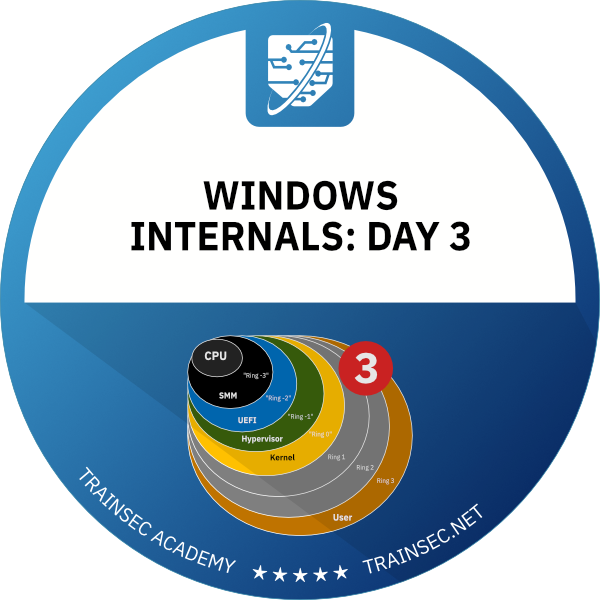
Windows kernel mechanisms are what the rest of Windows is built on. In this pre-recorded course, Pavel Yosifovich, co-author of Windows Internals, 7th Edition, Part 1 (Microsoft Press), explains interrupts and IRQLs, exceptions and SEH, system crashes, the object manager and handles, synchronization, NT global flags, ETW and WoW64, then shows each one live in tools such as WinDbg, Process Explorer and WinObj.
It is the third of the five courses in the series, and it goes underneath the processes and threads of Day 2 to the mechanisms that support them.
The course has 41 pre-recorded video lessons, 7 hours 30 minutes of video, with English captions. You also get the slides PDF, the labs PDF, a ZIP of labs and demos, and five text lab lessons. You learn at your own pace, with lifetime access.
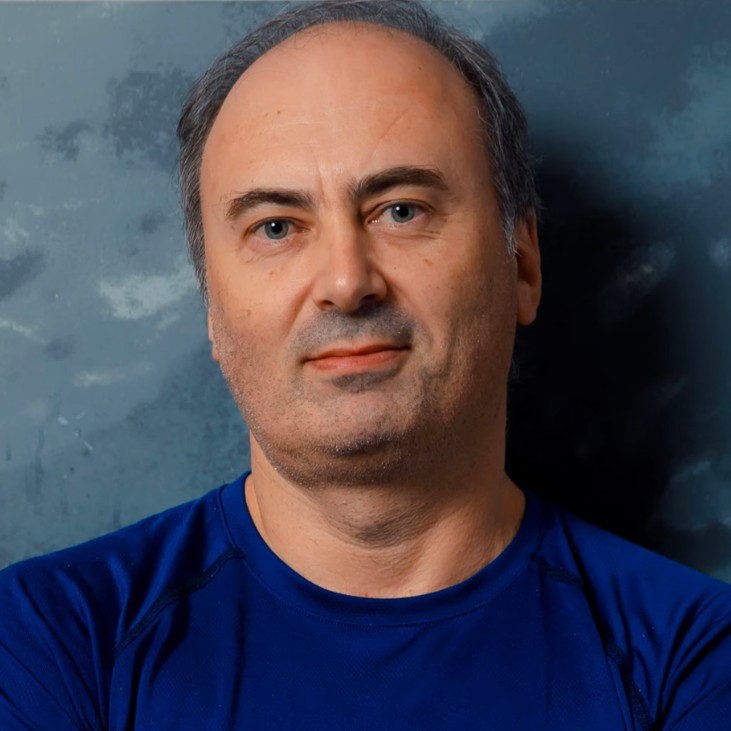
Pavel has been working at the lowest levels of Windows for more than 25 years, as a developer, consultant, trainer, author and speaker, and is a Microsoft MVP. He is the co-author of “Windows Internals, 7th Edition, Part 1” (Microsoft Press) and the author of “Windows Kernel Programming”, “Windows 10 System Programming” and “Windows Native API Programming”.
In this course he explains the kernel mechanisms that Windows is built on, and shows each of them live in the kernel debugger and Sysinternals tools.
Not the right fit if you are completely new to Windows internals (start with Windows Internals: Day 1, then Day 2), if you want memory management (Windows Internals: Day 4), the I/O system, drivers and the security model (Windows Internals: Day 5), or to write kernel drivers hands-on (Windows Kernel Programming 1).
The course has nine chapters: an introduction with notes on kernel design, interrupts, exceptions, system crashes, two chapters on object management with one on sharing kernel objects between them, synchronization, and a closing chapter on NT global flags, ETW and WoW64.
It is part of the Windows Internals Master learning path and the Windows Internals Bundle.
IRQL is a per-processor property, stored in CR8 on x64. At IRQL 2 and above there is no scheduler, no waiting and no access to paged memory, and breaking those rules means a blue screen. You follow a hardware interrupt through the interrupt controller to the interrupt dispatch table, view the IDT and KINTERRUPT objects in the kernel debugger, and see why work is deferred to a DPC on a per-processor queue.
You use __try, __except, __finally and __leave, and the three filter results: execute handler, continue search and continue execution. The course shows how C++ and .NET exceptions build on SEH, what first and second chance exceptions are, and how RAII gives you the equivalent of finally in C++.
The System Crash chapter explains why the kernel bug checks, what to configure in Startup and Recovery, and the dump types. You read a bug check code and its four parameters, open a dump in WinDbg, run analyze -v, and get a dump from a hung system with NotMyFault, kdump64 or a keyboard-initiated crash. This is an introduction: Mastering WinDbg goes deeper into dump analysis, and our knowledge library has a practical deep dive on the blue screen of death.
You browse the object namespace with WinObj, then look at object headers and types, handle table entries and reference counts in Process Explorer and the kernel debugger. A hands-on experiment creates mutexes in a loop until failure, reaching about 16.7 million handles in one process, and measures what they cost in paged and non-paged pool. See also our post on the maximum handles in a process.
Every process has its own handle table, so there are three ways to share: by name, by handle inheritance when a child process is created, and with DuplicateHandle for processes that are already running. The course compares the trade-offs, including the need to communicate handle values, and shows why visible names can be hijacked and how private namespaces help. Read more in our post on sharing kernel objects by name.
The chapter starts from data races and the Interlocked functions, then covers dispatcher objects and their signaled states, the mutex with ownership and abandonment, the semaphore, manual and auto reset events, the user-mode critical section, and the kernel’s executive resource and fast mutex. An interlude covers APC types and IRQL 0 and 1 behavior. For writing multithreaded applications, see Windows System Programming 2. Spin locks are mentioned but not covered.
NT global flags, set through the registry, GFlags and Image File Execution Options, turn on debugging aids such as loader snaps and page heap. One lesson then introduces Event Tracing for Windows: providers, controllers, sessions and consumers, with a survey of the main tools. To go further, read capturing ETW events in C++ and our introduction to the Windows Performance Analyzer.
The kernel is 64-bit only, so a special 32-bit ntdll and helper DLLs translate calls to the real 64-bit ntdll. The course covers System32 and SysWOW64, file system and registry redirection, the restrictions that apply, the two TEBs and stacks each thread has, and the WinDbg commands for WoW64 processes.
Attackers and defensive tools rely on the same mechanisms. As concepts, the course explains how visible object names can be hijacked, how handle tables work, why APCs matter, and that ETW events can help detect APC-based injection. It stays at the internals level and is not a course on attack techniques.
The demos use WinDbg, Process Explorer, WinObj, Object Explorer, NotMyFault, kdump64, Driver Verifier, Visual Studio, GFlags and the main ETW tools. There are five text labs: the IDT, object headers, NotMyFault, maximum handles and mutex. Downloads are the slides PDF, the labs PDF and a ZIP of labs and demos.
Continue with Windows Internals: Day 4 (memory management) and Windows Internals: Day 5 (I/O and security). To write drivers, Windows Kernel Programming 1 builds directly on the IRQL, DPC and synchronization material here. Mastering WinDbg teaches the debugger itself in depth, and Sysinternals Tools Deep Dive 1 teaches Process Explorer, WinObj and NotMyFault as tools.
To buy all five days together, see the Windows Internals Bundle. The Windows Internals Master learning path also includes this course.
The topics of the day and an aside on kernel design: the path from user mode to the kernel through system calls, Nt and Zw functions, kernel function naming prefixes, and handle versus object pointer APIs.
Hardware interrupt handling in Windows: interrupt controllers and vectors, interrupt service routines, the interrupt dispatch table in the debugger, IRQLs and their restrictions, and DPCs as the way to defer work to IRQL 2.
Processor exceptions and Structured Exception Handling: exception dispatching, __try, __except, __finally and __leave, filter results, how C++ and .NET exceptions build on SEH, first and second chance exceptions, and RAII as finally in C++.
Why the kernel bug checks, crash dump configuration and types, reading bug check codes and parameters, dump analysis in WinDbg, and ways to force dumps with NotMyFault, kdump64 or a keyboard shortcut.
The named-object namespace in WinObj, object header and type structure, handle table entries and flags, and inspecting objects, headers, types and security descriptors in Process Explorer and the kernel debugger.
The three ways to share kernel objects across processes: by name (with name visibility risks and private namespaces), handle inheritance at child process creation, and DuplicateHandle for running processes. Each is demonstrated with Process Explorer and the trade-offs are compared.
A maximum-handles experiment showing memory cost in paged and non-paged pool, a recap of Create, Open and Close and ObReferenceObjectByHandle for kernel code, and the rules for object names, including sessions, the Global prefix and private namespaces. It ends by contrasting kernel objects with USER and GDI objects.
Data races, Interlocked functions and dispatcher objects with their signaled states. The mutex (ownership, recursion, abandoned mutex), semaphore, event, user-mode critical section, and the kernel executive resource and fast mutex, with an interlude on APC types and IRQL 0 and 1 behavior.
NT global flags (registry, Image File Execution Options, GFlags, loader snaps, page heap, debugger redirection), Event Tracing for Windows with its architecture and tooling, and WoW64, including how 32-bit code reaches the 64-bit kernel, file and registry redirection, restrictions, and debugging WoW64 processes.
It is recommended. Day 3 builds on the processes, threads, handles and WinDbg basics taught in Days 1 and 2, and the lessons assume that background.
You should be able to read C and C++. Several demos (SEH, sharing kernel objects, maximum handles, synchronization objects) are small Win32 programs in Visual Studio, but the focus is understanding the mechanisms, not writing large programs.
A Windows 10 or 11 machine with WinDbg, the Sysinternals tools (Process Explorer, WinObj, NotMyFault) and Visual Studio to build the demos. A virtual machine is a sensible choice for kernel debugging and the crash labs.
An interrupt request level, a per-processor property stored in CR8 on x64. At IRQL 2 and above a processor cannot wait or touch paged memory, because the scheduler does not run there.
A DPC runs at IRQL 2 on any thread and is used to defer work from an interrupt service routine. An APC runs in the context of a specific thread. The course covers user-mode APCs, normal kernel APCs at IRQL 0 and special kernel APCs at IRQL 1.
A semaphore has no ownership or abandonment handling and can be released by any thread.
In the course’s experiment, about 16.7 million handles per process (near 2 to the power of 24), with a measurable cost in paged and non-paged pool.
They are mentioned but not covered.
Yes, at an introductory level: crash dump configuration and types, reading bug check codes, opening a dump in WinDbg and starting an analysis, and generating dumps from hung systems. Mastering WinDbg goes deeper into dump analysis.
No. Memory management is Windows Internals: Day 4, and the I/O system, drivers and security (tokens, ACLs, UAC) are Windows Internals: Day 5.
Pre-recorded and self-paced, so you can watch at any time.
41 video lessons with 7 hours 30 minutes of video, plus the slides PDF, the labs PDF, a ZIP of labs and demos, and five text labs. All video lessons have English captions.
Yes. Two lessons are free to preview: Hardware Interrupts and The Object Manager. You can watch them on the course page on the learning platform.
Yes. When you complete every lesson you receive a certificate of completion and a Credly badge. The course earns 7 CPE/CEU credits, which you self-report to your certification body with your TrainSec certificate.
$149 as a single payment; there is no payment plan for Day 3. You can also get it as part of the Windows Internals Bundle ($849, or 6 x $148) or the Windows Internals Master learning path ($1,356, or 10 x $140).
Lifetime access, including future updates to the course.
Refunds are available up to 14 days after purchase, to the original payment method. Email [email protected] to request one.
No. Windows Security Researcher includes Days 1, 2 and 5. Day 3 is in the Windows Internals Master learning path and the Windows Internals Bundle.
Continue with Windows Internals: Day 4 (memory management) and Windows Internals: Day 5 (I/O and security). If you want to write drivers, Windows Kernel Programming 1 builds directly on the IRQL, DPC and synchronization material here.
Pavel has been working at the lowest levels of Windows for more than 25 years, as a developer, consultant, trainer, author and speaker, and is a Microsoft MVP. He is the co-author of “Windows Internals, 7th Edition, Part 1” (Microsoft Press) and the author of “Windows Kernel Programming”, “Windows 10 System Programming” and “Windows Native API Programming”.
In this course he explains the kernel mechanisms that Windows is built on, and shows each of them live in the kernel debugger and Sysinternals tools.
See the kernel mechanisms the rest of Windows is built on. Pavel Yosifovich, co-author of Windows Internals, explains interrupts and IRQLs, exceptions, system crashes, the object manager and handles, synchronization, NT global flags, ETW and WoW64, and shows each one live.
