Finish the COM picture after COM Programming 1: COM automation with IDispatch and dual interfaces, out-of-process (EXE) COM servers with proxies, stubs and marshaling, and STA and MTA apartments. Pavel Yosifovich, co-author of Windows Internals, builds each one in C++ and ATL and debugs it live.



7+ hours
on-demand video
Labs
with lab manual and sources
34
video lessons
3
downloadable resources
6 CPE
CEU credits, self-reported
Certification
Certificate of completion
COM Programming 1 teaches in-process COM: interfaces, class factories, registration, IDL and ATL. This course, part 2, covers the rest of COM that real Windows software depends on. COM automation lets VBScript, PowerShell and other scripting clients call your objects through IDispatch. Out-of-process (EXE) COM servers run in their own process, so every call crosses a process boundary through a proxy and a stub. Apartments decide which threads may call an object directly, and getting them wrong causes hangs, missing proxies and RPC_E_WRONG_THREAD errors.
Pavel Yosifovich, Microsoft MVP, co-author of Windows Internals 7th Edition Part 1 and author of Windows Native API Programming, builds each of these in C++ and ATL and debugs them live. You build an ATL dual-interface server and call it from scripts, build and debug an EXE server with its proxy/stub DLL, choose between standard, type library and custom marshaling, and pass interface pointers safely between threads.
The course is a recording of a live class: 34 video lessons in 3 chapters, with the slides, a lab manual and the lab sources. All videos have English captions, and you learn at your own pace with lifetime access.
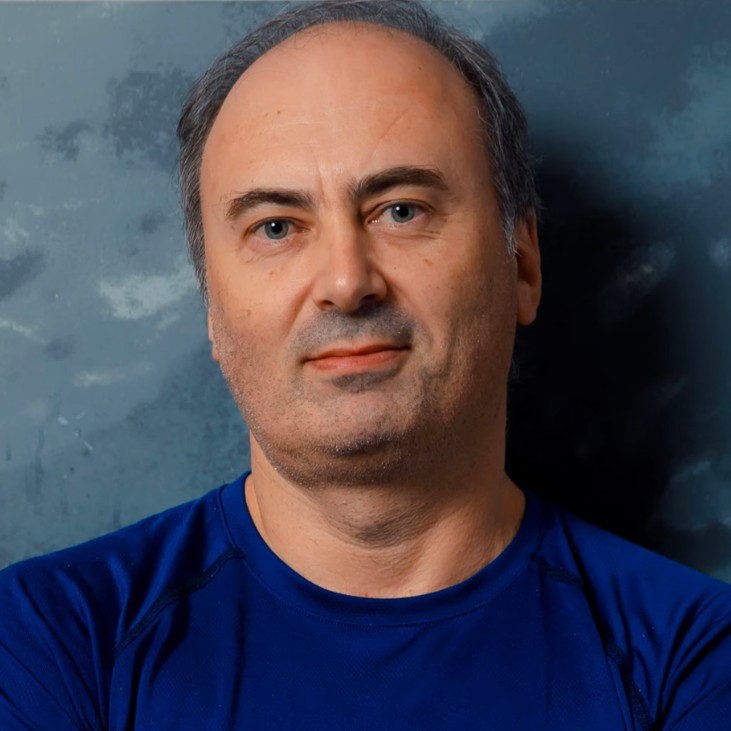
Pavel has been building Windows software in C and C++ for more than 25 years, as a developer, consultant, trainer, author and speaker, and is a Microsoft MVP. He is the co-author of “Windows Internals, 7th Edition, Part 1” (Microsoft Press) and the author of “Windows Kernel Programming”, “Windows 10 System Programming” and “Windows Native API Programming”.
In this course he shows what happens underneath COM calls you usually take for granted: the IDispatch call behind a script, the proxy and stub behind a cross-process call, and the apartment rules behind a cross-thread call, each one verified in the debugger.
Not the right fit if you are new to COM (take COM Programming 1 first), new to C++ (Modern C++ Programming), or new to the Windows API (Windows System Programming 1). For Windows GUI programming, see GUI Programming with WTL.
Roles this course prepares you for: Windows developers, security researchers and malware analysts.
Three chapters, each built in Visual Studio and verified in the debugger: Automation (IDispatch, dual interfaces, BSTR, VARIANT, SAFEARRAY), EXE Servers (out-of-process servers, marshaling, IDL, memory rules, registration) and Threading and Apartments (STA, MTA, the Global Interface Table and the Free Threaded Marshaler). Windows System Programming 3 has a single COM fundamentals module; this course goes much deeper into automation, marshaling and apartments.
It is part 2 of the series that starts with COM Programming 1, and both are included in the Windows Master Developer learning path.
Scripting and automation clients, Windows services such as BITS, shell extensions and many system components talk to each other through out-of-process COM, and every cross-process or cross-thread call goes through marshaling and apartment rules. When those rules are misunderstood, the result is a client that hangs, a call that fails with RPC_E_WRONG_THREAD, or a server that never shuts down. Knowing how they work lets you build components that behave, and debug the ones that do not.
You build an ATL account server with a dual interface and call it from VBScript, PowerShell and C++, write an IShellWindows client, build and debug an EXE server with a proxy/stub DLL, complete a prime number EXE server lab with a custom proxy/stub, see a marshal-by-value example, run threading experiments in the debugger, and build an Explorer icon handler. The slides, lab manual and lab sources are downloadable.
COM automation lets scripting clients such as VBScript and PowerShell call COM objects. You learn late versus early binding and IDispatch (GetIDsOfNames and Invoke), call it from C++, and build ATL dual interfaces with dispatch IDs that give both vtable and late-bound access. Then the automation types: BSTR with CComBSTR and _bstr_t, VARIANT with CComVariant, and SAFEARRAY, with demos on an ATL account server and the IShellWindows shell interface. The slides and the lab manual are downloads in this chapter.
Out-of-process COM servers: their benefits and costs, proxies, stubs and marshaling over RPC or ALPC, and building and debugging an ATL EXE server. You learn standard marshaling through the Interface registry key, type library marshaling with oleautomation, custom proxy/stub DLLs and the IDL pointer and array attributes, plus the COM task memory allocator rules. The chapter also covers ATL EXE server internals (RegServer, CoRegisterClassObject, REGCLS flags, lifetime), custom marshaling with IMarshal, LocalServer32 and AppID registration, and a prime number EXE server lab.
Why apartments exist, the single-threaded (STA) and multithreaded (MTA) apartments, how threads enter one with CoInitializeEx, and how a class declares its needs with the ThreadingModel registry value. Debugger demos show when a client gets a direct pointer and when it gets a proxy, and how STA message pumping works. You pass interface pointers between threads with the marshal-in-stream functions, the Global Interface Table and the Free Threaded Marshaler, and finish with threading in EXE servers and an Explorer icon handler lab.
COM automation lets a client call an object’s methods and properties by name at run time through the IDispatch interface (GetIDsOfNames and Invoke), instead of through a compiled vtable. It is how VBScript, PowerShell and other scripting clients use COM objects. A dual interface supports both: fast vtable calls from C++ and late-bound calls from scripts.
An EXE server runs in its own process, so a client cannot call it directly. COM gives the client a proxy that packages each call, sends it over RPC or ALPC, and a stub in the server process that unpacks it and calls the real object. This is marshaling. The proxy/stub code is generated from your IDL, or COM uses the type library for automation-compatible interfaces.
An apartment is the threading context a COM object lives in. Objects in a single-threaded apartment (STA) are only called on their own thread, through a message loop; objects in the multithreaded apartment (MTA) can be called from any thread and must handle their own synchronization. COM compares the client’s apartment with the class’s ThreadingModel to decide whether the client gets a direct pointer or a proxy.
Yes, in practice. The course continues where COM Programming 1 left off, assumes you know IUnknown, class factories, registration, IDL and ATL, and reuses labs from that course.
A Windows 10 or 11 machine with Visual Studio and its C++ workload and ATL. Demos also use VBScript, PowerShell, OLE/COM Object Viewer, Registry Editor and Process Explorer.
Yes. You build an ATL dual-interface server and call it from scripts, build and debug an EXE server with a proxy/stub DLL, do a prime number EXE server lab and an Explorer icon handler lab, and run threading experiments. Slides, a lab manual and lab sources are downloadable.
DCOM and RPC are explained as the mechanism behind marshaling, and COM security settings in dcomcnfg are mentioned, but the demos run on one machine. COM+ and the neutral apartment are not covered.
It explains custom marshaling with IMarshal and marshal-by-value, and the lab review shows an example, but at overview level rather than as a full build-along.
Pre-recorded and self-paced. The lessons are recordings of a live class, so you will occasionally hear student questions. Every video has English captions.
34 video lessons, more than 7 hours of video, plus the slides, lab manual and lab sources.
Yes. The Introduction to Automation lesson is a free preview. Watch it on the course page.
Yes. When you complete every lesson you receive a certificate of completion and a Credly badge. The course earns 6 CPE/CEU credits, which you self-report to your certification body with your TrainSec certificate.
$99 as a single payment; there is no payment plan on this course. It is also included in the Windows Master Developer learning path.
Lifetime access. Videos stream in the browser; the slides, lab manual and lab sources are downloadable.
Yes. Refunds are available up to 14 days after purchase, to the original payment method. Email [email protected] to request one.
In the Windows Master Developer path, Windows Kernel Programming 1 and Windows Kernel Programming 2 follow the COM courses.
Pavel has been building Windows software in C and C++ for more than 25 years, as a developer, consultant, trainer, author and speaker, and is a Microsoft MVP. He is the co-author of “Windows Internals, 7th Edition, Part 1” (Microsoft Press) and the author of “Windows Kernel Programming”, “Windows 10 System Programming” and “Windows Native API Programming”.
In this course he shows what happens underneath COM calls you usually take for granted: the IDispatch call behind a script, the proxy and stub behind a cross-process call, and the apartment rules behind a cross-thread call, each one verified in the debugger.
Finish the COM picture after COM Programming 1: COM automation with IDispatch and dual interfaces, out-of-process (EXE) COM servers with proxies, stubs and marshaling, and STA and MTA apartments. Pavel Yosifovich, co-author of Windows Internals, builds each one in C++ and ATL and debugs it live.
