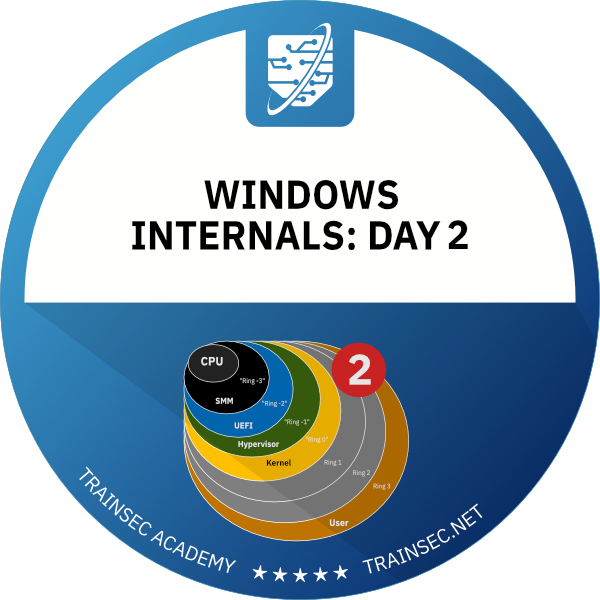
Go inside the Windows process and thread. Pavel Yosifovich, co-author of Windows Internals, shows how Windows represents, creates, protects, groups and schedules processes, jobs, silos and threads, with live demos in WinDbg, Process Explorer and Visual Studio.



10+ hours
on-demand video
Live demos
in WinDbg and Process Explorer
45
video lessons
3
downloadable resources
10 CPE
CEU credits, self-reported
Certification
Certificate of completion
Pavel Yosifovich, co-author of Windows Internals, 7th Edition, Part 1 (Microsoft Press), teaches this Windows process and thread internals course, the second part of his five-part series. You see how Windows represents, creates, protects, groups and schedules processes, jobs, silos and threads, with live demos in WinDbg, Process Explorer and Visual Studio.
The course starts from the kernel structures themselves, EPROCESS, KPROCESS, ETHREAD and the PEB, and inspects them with local kernel debugging. It then follows process creation, protected processes and PPL, UWP, minimal and Pico processes, job objects and the silos behind Windows containers, and finishes with the Windows thread scheduler.
The course has 45 pre-recorded video lessons, 10 hours 17 minutes of video, with English captions. You also get the slides PDF, the labs PDF and the lab files. You learn at your own pace, with lifetime access.
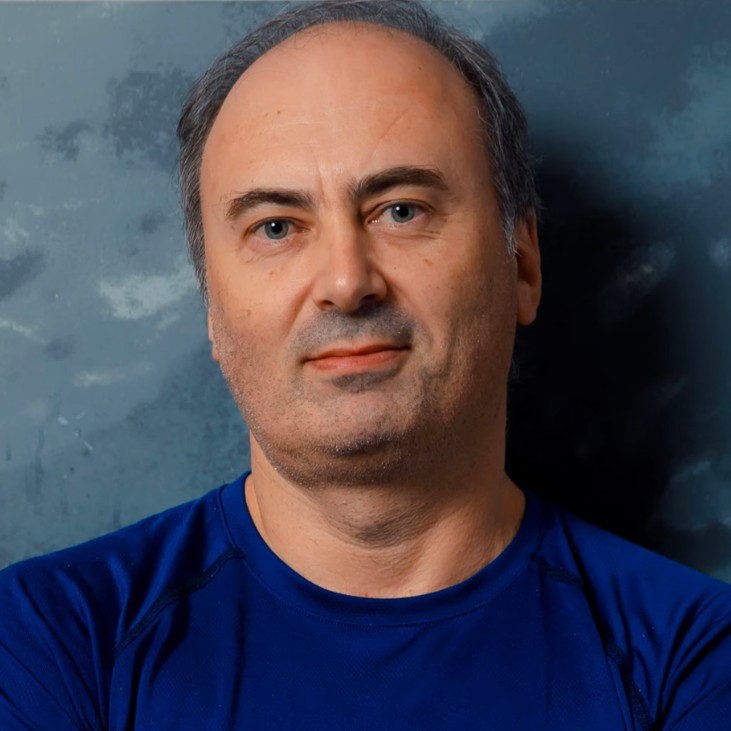
Pavel has been working at the lowest levels of Windows for more than 25 years, as a developer, consultant, trainer, author and speaker, and is a Microsoft MVP. He is the co-author of “Windows Internals, 7th Edition, Part 1” (Microsoft Press) and the author of “Windows Kernel Programming”, “Windows 10 System Programming” and “Windows Native API Programming”.
In this course he goes inside processes, jobs and threads, and shows each mechanism live in the kernel debugger.
Not the right fit if you are completely new to Windows internals (start with Windows Internals: Day 1), if you are mainly after memory management (Windows Internals: Day 4), I/O, drivers or the Windows security model (Windows Internals: Day 5), or if you want a programming course on the process and thread APIs (Windows System Programming 1).
The course has seven chapters: an introduction, process fundamentals, process creation and termination, special processes, jobs and silos, thread fundamentals and thread scheduling.
It is part of the Windows Internals Master and Windows Security Researcher learning paths and the Windows Internals Bundle.
The kernel maps the executable and ntdll, and the ntdll loader initializes the PEB, the default heap and the TEB and loads imported DLLs recursively before the entry point runs. The course details the DLL search order, why KnownDLLs cannot be spoofed, implicit and explicit linking and API sets, and builds a CreateProcess demo in Visual Studio. You also see the other end of the story: exit codes, termination and zombie processes, where a terminated process stays alive because another process still holds a handle to it.
Protected processes were added in Windows Vista for digital rights management. Protected Processes Light arrived in Windows 8.1 with signer levels, where a higher level can access a lower one but not the reverse, and opened protection to third parties such as anti-malware vendors. You view signer values in Process Explorer and read the Protection field of EPROCESS in WinDbg. The course stays at the internals level and does not teach attack techniques. For a short overview, read our post on protected processes and PPL.
UWP processes run with AppContainer and capabilities. Minimal processes such as Memory Compression and Registry have no ntdll, executable, PEB or TEBs and are created only by the kernel. Pico processes build on them and were the basis of WSL1. The chapter closes with why WSL2 moved to a real Linux kernel in a lightweight virtual machine. Our knowledge library also has a post on the Windows Subsystem for Linux.
Job objects group processes and apply accounting and limits on process count, CPU, memory, network, I/O and UI. You see jobs in Process Explorer and WinDbg, apply CPU rate control in a lab, and learn how nested jobs work since Windows 8. A silo is a job upgraded through an undocumented information class. The course explains application silos and server silos, and shows how Windows containers isolate the file system, registry and object namespace, with a Docker demo.
The highest priority ready thread runs, and threads of equal priority take turns by quantum. You follow priority classes, background mode and the thread state machine, then dynamic boosts for I/O, foreground, GUI and starvation relief, and finally ideal processor, hard affinity, processor groups, CPU sets and NUMA. Demos in Performance Monitor and CPU Stress let you watch it happen, and a prime-counting lab shows fork-join parallelism and why speedup is not linear.
The demos use WinDbg with local kernel debugging, Process Explorer, Visual Studio 2022, Performance Monitor, CPU Stress and VMMap. There are three labs: terminate a process by PID, limit a process’s CPU with a job, and count primes in parallel with a variable number of threads. Downloads are the slides PDF, the labs PDF and the lab files ZIP.
Continue with Windows Internals: Day 3 (interrupts, exceptions, object management, synchronization, ETW and WoW64), then Windows Internals: Day 4 (memory) and Windows Internals: Day 5 (I/O and security). Mastering WinDbg is a good companion, since Day 2 uses WinDbg constantly but teaches only the commands it needs, and Sysinternals Tools Deep Dive 1 pairs well because Process Explorer, VMMap and CPU Stress are used throughout.
To buy all five days together, see the Windows Internals Bundle. Windows Internals Master and Windows Security Researcher are the learning paths that include this course.
A short introduction to the plan of the course: processes, jobs, silos and threads. It continues directly from Day 1.
How a process is represented in kernel and user space: EPROCESS with its embedded KPROCESS, the PEB, and the global process list built on LIST_ENTRY. You use local kernel debugging with !process at various detail levels, dt, .process and !peb, and learn to walk linked lists and switch process context for user-mode addresses.
The internal creation steps, the ntdll loader and DLL search order, implicit and explicit linking and API sets, and a hands-on CreateProcess demo in Visual Studio. Also waiting on a process, exit codes and times, zombie processes caused by handle leaks, and the process attribute list.
Protected processes and Protected Processes Light with signer levels and a demo in kernel memory, UWP processes with AppContainer and capabilities, minimal processes such as Memory Compression and Registry, and Pico processes as the basis of WSL1. It closes with a comparison of WSL1 and WSL2.
Job accounting and limits (process count, CPU, memory, network, I/O and UI), CPU rate control, breakaway and one-way membership, and nested jobs from Windows 8. Jobs in Process Explorer and WinDbg, the job API built around SetInformationJobObject, and two labs. It ends with silos and Windows containers, showing Docker containers and file, registry and object namespace isolation.
Thread context, states, user and kernel stacks and their sizes, ETHREAD, KTHREAD and the TEB, and the ways a thread ends. Live CreateThread coding with waiting, fork-join and a data race demonstration. Then priorities and priority classes, background mode, processor topology and CPU caches with a cache-line performance example.
Priorities, quantum, the full thread state machine, dynamic priority boosts, and scheduling across multiple processors with ideal processor, hard affinity, processor groups, CPU sets and NUMA or power considerations. Demos in Performance Monitor and CPU Stress and a prime-counting lab. It closes with UWP deep freeze, thread pools and an introduction to waitable objects.
It is strongly recommended. Day 2 starts as a direct continuation of Windows Internals: Day 1 and assumes you know the basic ideas of processes, threads, kernel and user mode, and basic WinDbg use.
Basic C/C++ reading skills help. Several demos and labs are small C++ console programs in Visual Studio (CreateProcess, CreateThread, job objects, a parallel prime counter), but most of the course is about understanding how Windows works.
Windows 10 or 11 with Visual Studio (the demos use Visual Studio 2022), WinDbg for kernel debugging, and Sysinternals tools such as Process Explorer, VMMap and CPU Stress. A virtual machine is recommended for kernel debugging experiments. The container and WSL demos use Docker on Windows Server 2022 and WSL, which are optional to reproduce.
A terminated process whose EPROCESS object stays alive because some other process still holds a handle to it. It has no threads, handle table or address space, but it keeps its token and PID. The course shows how to find zombie processes with the debugger and Object Explorer.
WSL1 is built on Pico processes running on the Windows kernel. WSL2 uses a real Linux kernel in a lightweight hybrid virtual machine, which gives faster I/O, and its Linux processes are not visible in Windows tools.
A job object upgraded through an undocumented information class. Silos are the basis of Windows containers, which isolate the file system, registry and object namespace.
No. Memory management is in Windows Internals: Day 4, and I/O, drivers and security (tokens, ACLs, UAC, VBS) are in Windows Internals: Day 5. Day 2 only touches security where it relates to processes, such as protected processes and PPL.
Yes. It explains protected processes and PPL, process creation and the DLL search order, and how processes and threads look in the kernel, which is why it is part of the Windows Security Researcher learning path. It stays at the internals level and does not teach attack techniques.
Day 2 explains how processes, jobs and threads work inside Windows with debugger-heavy demos. Windows System Programming 1 focuses on writing applications against the Windows API.
Those courses teach the tools themselves. Day 2 uses WinDbg and Sysinternals tools as instruments to explain processes, jobs and threads.
Pre-recorded video you watch on demand on the TrainSec learning platform. The recordings include some answers to questions from the original class.
45 video lessons with 10 hours 17 minutes of video, plus the slides PDF, the labs PDF, the lab files and two text lab lessons. All video lessons have English captions.
Yes. Three lessons are free to preview: Introduction, Linking to DLLs and Protected Processes. You can watch them on the course page on the learning platform.
Yes. When you complete every lesson you receive a certificate of completion and a Credly badge. The course earns 10 CPE/CEU credits, which you self-report to your certification body with your TrainSec certificate.
$199 as a single payment, or 2 payments of $105 ($210 in total). It is also included in the Windows Internals Bundle ($849) and in the Windows Internals Master ($1,356) and Windows Security Researcher ($1,618) learning paths.
Lifetime access, including future updates to the course.
Refunds are available up to 14 days after purchase, to the original payment method. Email [email protected] to request one.
Pavel has been working at the lowest levels of Windows for more than 25 years, as a developer, consultant, trainer, author and speaker, and is a Microsoft MVP. He is the co-author of “Windows Internals, 7th Edition, Part 1” (Microsoft Press) and the author of “Windows Kernel Programming”, “Windows 10 System Programming” and “Windows Native API Programming”.
In this course he goes inside processes, jobs and threads, and shows each mechanism live in the kernel debugger.
Go inside the Windows process and thread. Pavel Yosifovich, co-author of Windows Internals, shows how Windows represents, creates, protects, groups and schedules processes, jobs, silos and threads, with live demos in WinDbg, Process Explorer and Visual Studio.
